
-
×
 Max Bms 135 Boom Mic Stand
1 × 9.500 OMR
Max Bms 135 Boom Mic Stand
1 × 9.500 OMR
Subtotal: 9.500 OMR
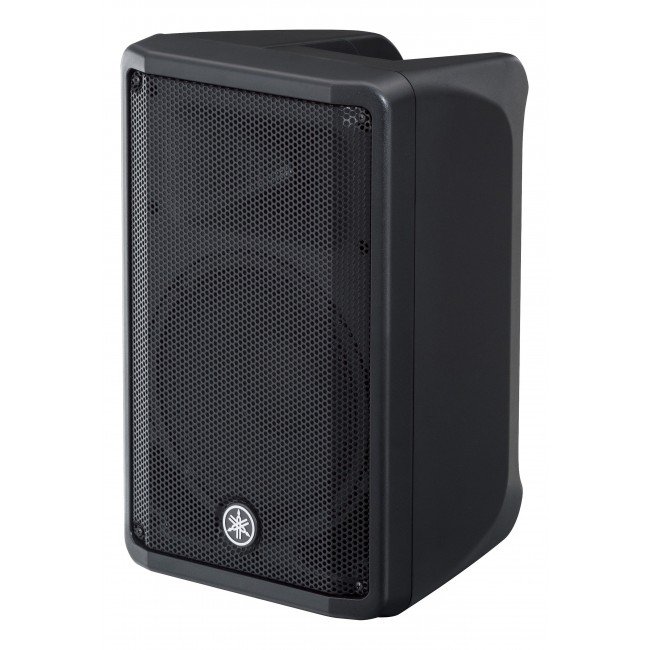
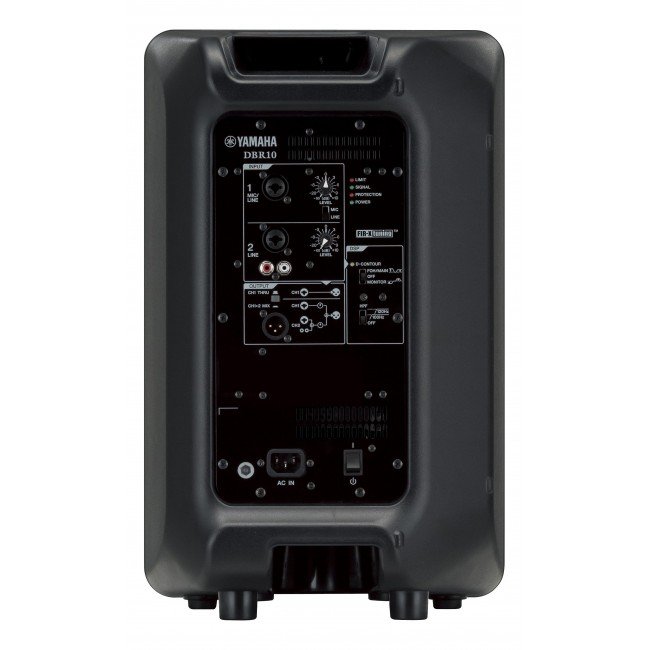
1. **Power On/Off**: Locate the power switch on the Yamaha DBR-15 15″ Powered Speaker and ensure it’s in the “Off” position before connecting. Once all connections are secure, switch it to the “On” position to power up the speaker.
2. **Connect Input Source**: Use an appropriate audio cable (XLR, TRS, or RCA) to connect your audio source (such as a mixer, microphone, or instrument) to the input on the back of the speaker. Ensure the connection is secure.
3. **Adjust Volume and Settings**: Use the volume control knob on the speaker or adjust the input level on your audio source to set the desired sound level. Additionally, you can adjust other settings like EQ and DSP presets if desired.
4. **Positioning**: Place the Yamaha DBR-15 speaker in the desired location, ensuring it’s stable and facing the audience for optimal sound projection. Consider elevating it on a speaker stand for better coverage.
5. **Monitor and Troubleshoot**: Throughout use, monitor the speaker’s performance and adjust settings as needed. If you encounter any issues such as distortion or feedback, check connections, volume levels, and signal sources to troubleshoot and resolve the problem.
*Ideal for youtube,vloggings,podcasts,mobile journalism and more *digital 2.4GHZwirleless system *apple MFI certified lightning connector *compatible with iOS device:ipad,iphone,ipod touch *master volume control *omnidirectional lavalier microphone included
 New Arrivals
 Offers
 Service & Repair


There are no reviews yet.