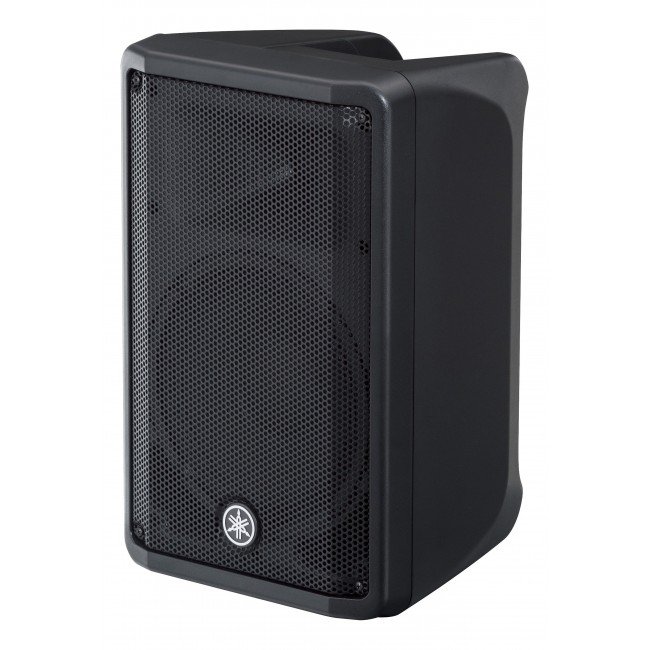
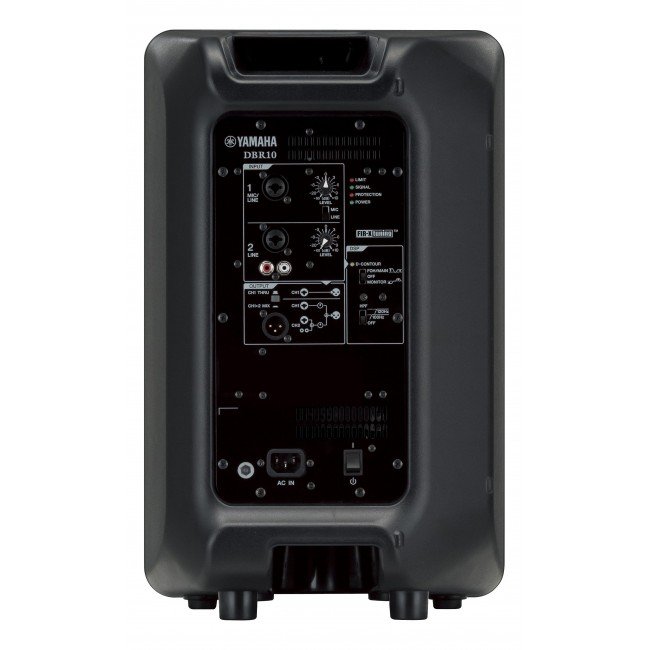
1. **Power On/Off**: Locate the power switch on the Yamaha DBR-15 15″ Powered Speaker and ensure it’s in the “Off” position before connecting. Once all connections are secure, switch it to the “On” position to power up the speaker.
2. **Connect Input Source**: Use an appropriate audio cable (XLR, TRS, or RCA) to connect your audio source (such as a mixer, microphone, or instrument) to the input on the back of the speaker. Ensure the connection is secure.
3. **Adjust Volume and Settings**: Use the volume control knob on the speaker or adjust the input level on your audio source to set the desired sound level. Additionally, you can adjust other settings like EQ and DSP presets if desired.
4. **Positioning**: Place the Yamaha DBR-15 speaker in the desired location, ensuring it’s stable and facing the audience for optimal sound projection. Consider elevating it on a speaker stand for better coverage.
5. **Monitor and Troubleshoot**: Throughout use, monitor the speaker’s performance and adjust settings as needed. If you encounter any issues such as distortion or feedback, check connections, volume levels, and signal sources to troubleshoot and resolve the problem.
Dji Osmo Nano Action Camera 128GB
Coopic Digital Camera C880
Fujifilm Instax Camera Mini 12 Gift Box
Coopic Digital Camera C400i
Osmo Pocket
Cleo-CM Discovery Car Dash Cam
Coopic 8X Digital Camera C600
Insta 360 Action Camera GO 3S Black
Fujifilm Printer Instax Mini Link 2
Cleo-TY 1X24 Mercedes Benz E300 Metal Car CZ155B
Boya Larger Diaphragm Condenser Microphone By M1000
New Arrivals
Offers
Service & Repair


There are no reviews yet.