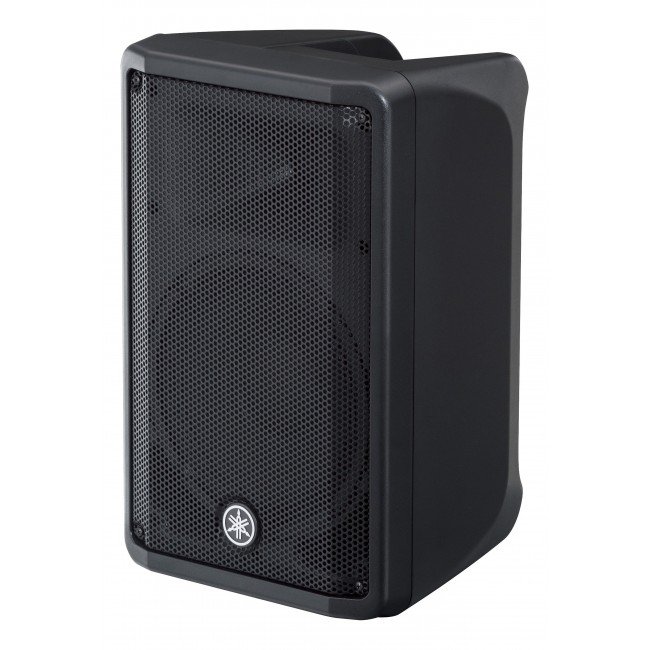
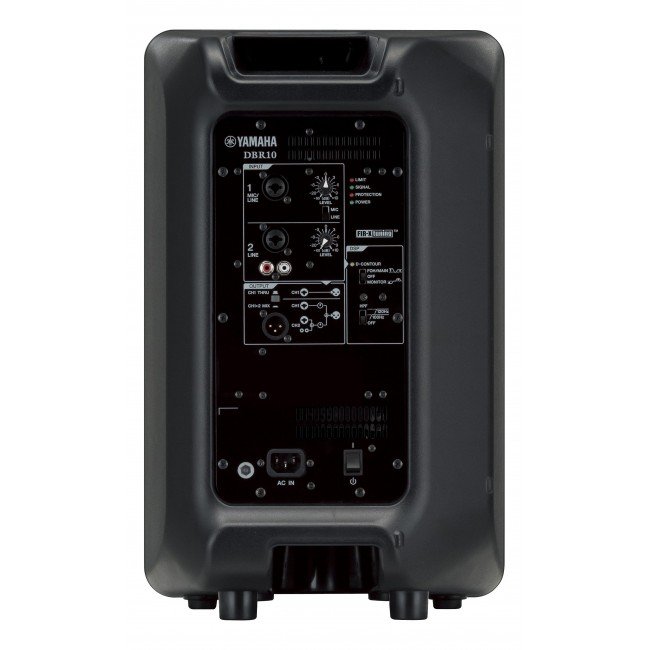
1. **Power On/Off**: Locate the power switch on the Yamaha DBR-15 15″ Powered Speaker and ensure it’s in the “Off” position before connecting. Once all connections are secure, switch it to the “On” position to power up the speaker.
2. **Connect Input Source**: Use an appropriate audio cable (XLR, TRS, or RCA) to connect your audio source (such as a mixer, microphone, or instrument) to the input on the back of the speaker. Ensure the connection is secure.
3. **Adjust Volume and Settings**: Use the volume control knob on the speaker or adjust the input level on your audio source to set the desired sound level. Additionally, you can adjust other settings like EQ and DSP presets if desired.
4. **Positioning**: Place the Yamaha DBR-15 speaker in the desired location, ensuring it’s stable and facing the audience for optimal sound projection. Consider elevating it on a speaker stand for better coverage.
5. **Monitor and Troubleshoot**: Throughout use, monitor the speaker’s performance and adjust settings as needed. If you encounter any issues such as distortion or feedback, check connections, volume levels, and signal sources to troubleshoot and resolve the problem.
Rean Rc3Mdl Bchase Mount
NOKIA Used 3310 (Old Model)
SONY PS4 Final Fantasy XII GAME CD
UNI-T UTI65H PROFESSIONAL THERMAL IMAGER
Dlc Coffee Maker DLC 7335
DOBE PS4 TP4 016 Mobile Phone CLAMP
Behringer Dd610R Rgb Wa Uv Led Mirror Ball
Hp Multimedia Speaker Dhs 2111
TP Link HD 720P CLOUD CAMERA 300 Mbps WiFi NC 250
Boya By Wm4 Pro K3 2.4ghz Wireless Microphone System
New Arrivals
Offers
Service & Repair


There are no reviews yet.