
 New Arrivals
 Offers
 Service & Repair

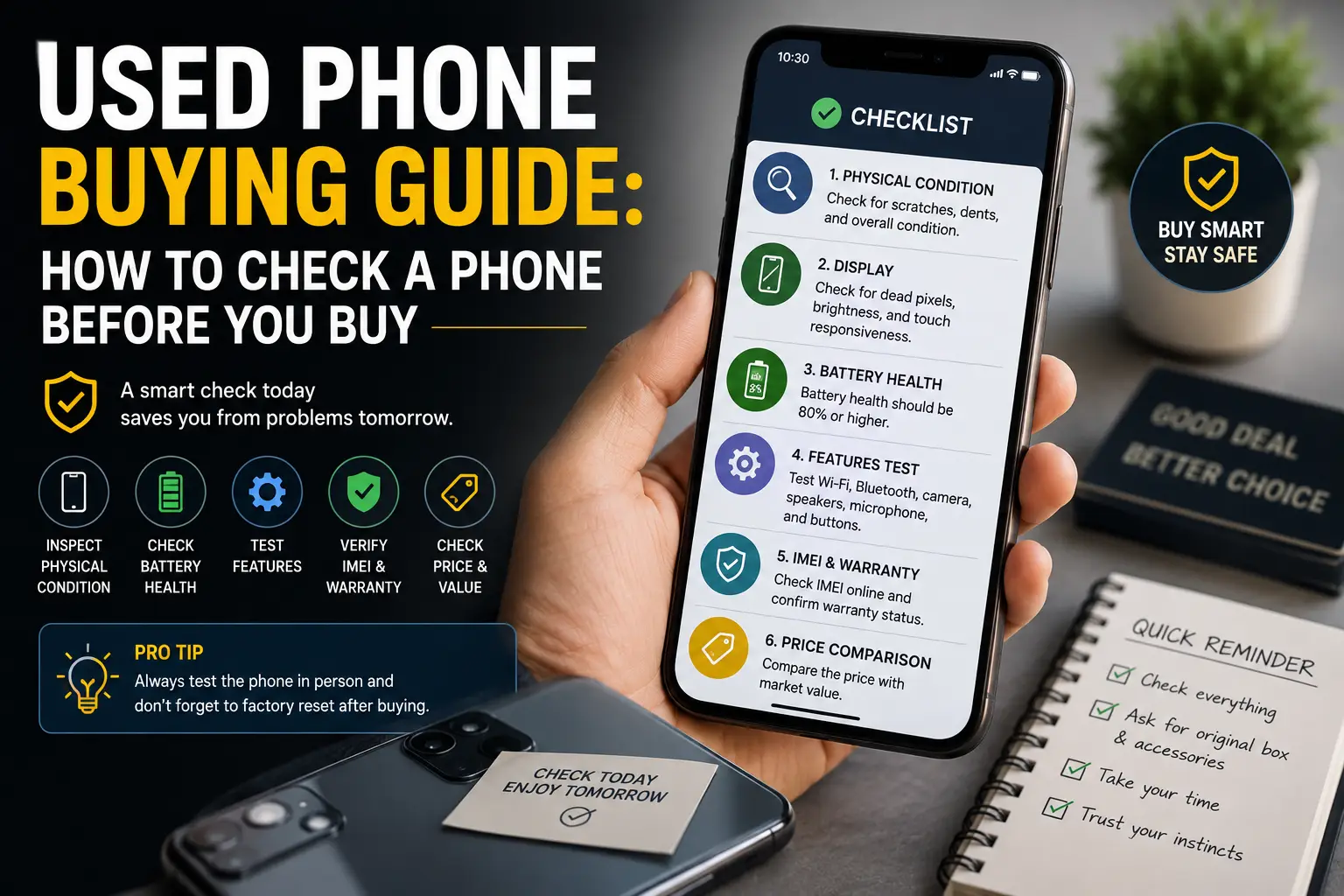
Used Phone Buying Guide: How to Check a Phone Before You Buy Leave a comment
A phone offered at a very attractive price may seem like an unbeatable deal—until you discover a few days later that the battery is worn out, the screen has been replaced, or the device is locked to the previous owner’s account.
Buying a used phone should never start with comparing prices alone.
Instead, begin with a practical inspection that reveals the phone’s real condition before you pay.
In this guide, you’ll learn how to:
- Test the battery, screen, and cameras.
- Verify the phone’s IMEI number and warranty.
- Evaluate the real price of a used iPhone 11 in Oman.
- Choose a phone that saves you money without leading to expensive surprises later.
You can also compare available options through Cleopatra Oman to find a device that matches your needs and budget with confidence.
Is Buying a Used Phone the Right Choice for You?
Saving money doesn’t always mean you’re getting a good deal.
A used phone can be an excellent option if you want a capable device without paying the price of a brand-new model—provided you carefully inspect its condition and understand its history before making a purchase.
Before buying, check:
- Battery health
- Screen condition
- IMEI number
- Camera performance
- Network connectivity
You should also confirm that the phone comes with a warranty or a clear return policy, because a low price won’t compensate for an expensive repair later.
It’s generally safer to buy from a trusted retailer than from an unknown seller.
Cleopatra Oman offers a dedicated section for used smartphones and states that many devices have been tested before sale, with a 15-day return policy under applicable terms.
If you need a brand-new battery, a longer warranty, and the latest software updates, however, purchasing a new phone may be the better long-term investment.
find out: iphone 12 pro max price in oman
How to Choose the Right Used Phone
Don’t let price be the only factor when buying a used phone.
The right device is the one that meets your daily needs without creating unexpected repair costs later.
Here are some practical tips.
Choose a Phone That Matches Your Usage
If you rely on your phone for work or gaming, choose a model with strong performance.
For calls, messaging, and everyday apps, a mid-range device is often enough.
Balance Specifications and Price
Compare:
- Storage capacity
- RAM
- Device age
Avoid paying extra for features you won’t actually use.
Test the Most Important Components
Always inspect:
- Battery performance
- Display quality
- Cameras
- Charging
- Cellular and wireless connectivity
The condition of these components is far more important than a flawless exterior.
Review the Warranty and Return Policy
Before completing your purchase, read the product description carefully and check the warranty and return terms.
You can compare available used phones at Cleopatra Oman to find a device that fits both your budget and your requirements.
find out: honor x9b price in oman
How to Determine the Real Price of a Used Phone
The true value of a used phone depends on much more than its advertised price.
Use the following checklist to estimate whether the asking price is fair.
| Pricing Factor | How to Verify It | Effect on the Real Value |
|---|---|---|
| Model & Storage Capacity | Compare the phone with the same model and storage version—not a different configuration. | Higher storage and better condition generally increase value. |
| Body & Screen Condition | Inspect for scratches, cracks, display spots, and touch responsiveness under good lighting. | Deduct the expected repair cost from the asking price if defects are present. |
| Battery Health | Check battery condition, charging performance, heat generation, and battery drain. | A weak battery usually means you’ll soon need a replacement, lowering the phone’s value. |
| Original Parts | Verify that the display, battery, and cameras haven’t been replaced with poor-quality components. | Original parts help maintain the phone’s value, while undocumented repairs reduce it. |
| IMEI Number | Match the IMEI in the settings, on the phone, and on the original box. | Avoid buying any phone if the numbers don’t match or if the IMEI is blocked. |
| Accessories & Invoice | Check whether the charger, box, invoice, and original accessories are included. | Complete accessories increase value but don’t justify an overpriced device. |
| Warranty & Return Policy | Review warranty coverage and return conditions before paying. | A phone with documented warranty coverage is usually worth paying slightly more for than one from an unknown source. Cleopatra Oman offers tested used phones with a 15-day return policy under applicable terms. |
| Market Comparison | Compare at least three similar listings with the same model, storage, and condition. | A fair price is generally the average market price after accounting for any expected repairs. |
| Current Price | Always rely on the latest displayed price instead of older product descriptions. | Product descriptions may contain outdated pricing. For example, a used iPhone 11 product page currently lists 85 OMR, while older content previously mentioned 135 OMR in 2024. Always confirm the current price before ordering. |
How Much Does a Used iPhone 11 Cost in Oman?
If you’re considering a used iPhone 11 in Oman, don’t focus only on the listed price.
Review the device’s condition and overall value before making your decision.
| Item | Current Details | What You Should Verify |
|---|---|---|
| Current Price | A used iPhone 11 (128GB / 4GB RAM) is currently listed at 85 OMR, excluding VAT, and is sold as the phone only without listed accessories. | Confirm the final price after VAT and delivery charges, if applicable. |
| Availability | The Arabic product page at Cleopatra Oman currently shows the device as available. | Verify stock availability before completing your order, as inventory may change at any time. |
| Buying Decision | When buying a used phone, evaluate more than the price alone. | Check the battery, display, IMEI number, warranty, and return policy. Choose the offer that provides the best documented condition and customer protection. |
find out: iphone 11 pro max price in oman
How to Inspect a Used Phone Before Buying
Never judge a used phone by its appearance alone.
A practical inspection is the best way to avoid hidden defects and unexpected repair costs.
Here’s what you should check.
Inspect the Body and Screen
Carefully examine the phone for:
- Scratches
- Dents
- Signs that it has been opened or repaired
Then test:
- Touch responsiveness
- Screen brightness
- Color accuracy
across the entire display.
Test the Battery and Charging
Check the battery’s health and observe:
- Charging speed
- Battery drain
- Device temperature during charging
Also make sure the charging port works properly without interruptions.
Test Essential Features
Verify that all major functions work correctly, including:
- Cameras
- Microphone
- Speakers
- Mobile network
- Wi-Fi
- Bluetooth
Verify the Device Information
Compare the IMEI number, confirm the previous owner’s account has been removed, and review the warranty or return policy before completing your purchase.
You can compare tested used phones at Cleopatra Oman before making your final decision.
How to Check the Battery of a Used Phone
Start by checking the battery health in the phone’s settings whenever that information is available.
Then use the phone for several minutes while:
- Watching a video
- Using the camera
- Browsing the internet
Pay attention to:
- Battery drain speed
- Device temperature
- Charging stability
Don’t rely only on the battery percentage displayed on the screen.
Also make sure charging doesn’t disconnect when the cable is moved.
When buying a used phone, consider the cost of replacing the battery if its health is poor or it drains unusually fast.
How to Verify a Phone’s IMEI Number
Dial *#06# to display the phone’s IMEI number.
Then compare it with:
- The IMEI listed in the phone’s settings
- The number printed on the original box
- The purchase invoice (if available)
Insert your SIM card and verify that the phone connects to the mobile network correctly.
If the IMEI numbers don’t match or the phone can’t connect to the network, avoid purchasing it.
Remember that matching IMEI numbers confirms consistency between the phone and its documentation, but it doesn’t replace a full inspection of the phone’s condition and history.
How to Test the Screen of a Used Phone
Display full-screen images in:
- White
- Black
- Solid colors
This helps reveal:
- Dead pixels
- Dark spots
- Screen burn-in
Next, slide your finger across every area of the display to confirm smooth touch response.
Check:
- Brightness
- Color consistency
- Viewing angles
Also inspect the gap between the screen and the frame to ensure the display hasn’t been poorly replaced.
If you notice unusual colors or inconsistent touch response, negotiate a lower price or choose another phone from the available options at Cleopatra Oman.
find out: iphone 17 pro max price oman
How to Tell If a Phone Has Been Repaired
Carefully inspect:
- Screws
- Frame edges
- Display alignment
Look for signs that the phone has previously been opened.
Then test:
- Cameras
- Charging
- Buttons
- Fingerprint sensor
Multiple problems appearing together may indicate poor-quality repairs.
If the phone supports it, review the device’s service history or replacement-part information.
Also ask whether the:
- Display
- Battery
has been replaced.
Replacing parts isn’t necessarily a problem, but you should know the quality of the replacement components, and the phone’s price should reflect those repairs.
How to Test the Camera, Audio, and Connectivity
| Component | How to Test It | Warning Signs |
|---|---|---|
| Rear Camera | Take photos in bright and low light. Test autofocus and zoom using both near and distant objects. | Blurry photos, slow focusing, or fixed spots may indicate lens or sensor damage. |
| Front Camera | Capture both photos and videos. Test Face Unlock if the phone supports it. | Shaky images, poor clarity, or Face Unlock failure may indicate hardware issues. |
| Video Recording | Record while walking and switch between available lenses and resolutions. | Stuttering, unusual shaking, or recording failures may point to camera or storage problems. |
| Microphone | Record a voice note, then make both a regular call and a speakerphone call. | Low volume, distortion, or poor voice quality may indicate microphone damage. |
| Speakers | Play audio at different volume levels and test the earpiece during a phone call. | Crackling, distortion, or uneven sound levels suggest speaker problems. |
| Mobile Network | Insert your SIM card, make a call, send a text message, and test mobile data in more than one location. | Persistent signal loss or poor reception may indicate antenna problems or an IMEI-related issue. |
| Wi-Fi & Bluetooth | Connect to a nearby Wi-Fi network and pair the phone with a Bluetooth device or transfer a file. | Slow connections, repeated disconnections, or failure to detect devices may indicate wireless hardware issues. |
| Final Decision | Complete all these tests before buying a used phone. | Never rely on appearance alone. Compare the inspection results with the phone’s condition and price before deciding whether the offer provides good value. |
Used Phone vs. Refurbished Phone
Many people assume that a used phone and a refurbished phone are the same, but there are important differences that affect value, reliability, and price.
| Comparison | Used Phone | Refurbished Phone |
|---|---|---|
| Condition | Sold in its current condition after previous use. | Professionally inspected, repaired if necessary, and tested before resale. |
| Inspection | Depends on the seller. | Usually goes through a structured testing process. |
| Warranty | May have limited or no warranty. | Often includes a warranty or return policy. |
| Price | Usually lower. | Slightly higher because of inspection and refurbishment. |
| Best For | Buyers looking for the lowest possible price. | Buyers who want greater peace of mind and a tested device. |
If you’re buying a used phone, always check whether it has been professionally tested and review the warranty or return policy before making your decision.
Common Mistakes When Buying a Used Phone
Many buyers focus only on the price and overlook issues that may lead to expensive repairs later.
Avoid these common mistakes.
Buying Without Testing the Phone
Never purchase a phone without checking:
- The screen
- Battery
- Cameras
- Speakers
- Charging
- Network connectivity
A few minutes of testing can save you significant repair costs.
Ignoring Battery Health
A battery that drains quickly or overheats may require replacement soon after purchase.
Always test charging and battery performance before buying.
Forgetting to Check the IMEI
Verify that the IMEI matches the phone’s settings and, if available, the original box and invoice.
Never buy a phone with mismatched or suspicious IMEI information.
Ignoring the Warranty
A warranty or return policy provides extra protection if hidden problems appear after purchase.
Before buying, review the seller’s warranty conditions and return period carefully.
Where to Buy a Used Phone in Oman
Choosing a trusted seller is just as important as choosing the right phone.
A reliable retailer gives you more confidence that the device has been inspected and that support is available if needed.
When comparing offers, look for:
- Clear product descriptions
- Honest information about the phone’s condition
- Warranty or return policy
- Accurate pricing
- Reliable customer support
Cleopatra Oman offers a range of used smartphones, allowing customers to compare available models, specifications, and prices before purchasing.
Always review the latest product details and availability before placing your order.
Frequently Asked Questions
Is Buying a Used Phone Worth It?
Yes.
A used phone can offer excellent value if it has been properly tested, is in good condition, and is sold with a clear warranty or return policy.
How Can I Check If a Used Phone Is Original?
Compare the IMEI number with the phone’s settings, original box, and invoice (if available), then carefully inspect the device and test all major functions before buying.
Is It Better to Buy a Used or Refurbished Phone?
It depends on your budget.
A refurbished phone usually provides greater confidence because it has been inspected and tested, while a used phone is often the more affordable option.
How Long Should a Used Phone Last?
The lifespan depends on:
- The device’s condition
- Battery health
- Previous usage
- How well you maintain it after purchase
A well-maintained used phone can continue performing well for years.
Should I Reset a Used Phone After Buying It?
Yes.
After confirming that the device is working correctly and ownership has been properly transferred, perform a factory reset and sign in with your own account to start using the phone securely.
Is a Lower Price Always a Better Deal?
No.
The cheapest phone may require expensive repairs later.
Always compare the phone’s condition, battery health, warranty, and included accessories—not just the asking price.
Buying a used phone can be a smart way to save money, but only if you inspect the device carefully before making a purchase.
Checking the battery, screen, cameras, charging, connectivity, and IMEI number helps you avoid unexpected problems and ensures you’re paying a fair price.
If you’re looking for a reliable used smartphone in Oman, compare the available options at cleopatra, review the product details carefully, and choose the device that best matches your needs and budget.
