
-
×
 DUDAO AUX 3.5 mm Cable Connector
1 × 3.900 OMR
-
×
 TP-Link WiFi Range Extender RE605X AX1800 WiFi 6
1 × 18.900 OMR
-
×
 Boya Larger Diaphragm Condenser Microphone By M1000
1 × 38.800 OMR
-
×
 TP-Link WiFi Range Extender RE 505X WiFi 6 Ax1500
1 × 14.900 OMR
-
×
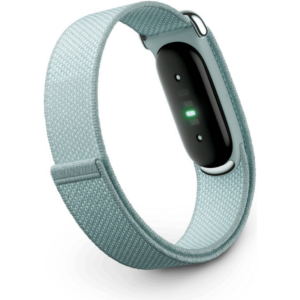 Google Fitbit Air Screen less Fitness & Health Tracking Band Fog
2 × 51.900 OMR
-
×
 Boya Wireless Microphone By Wm4 Pro
1 × 47.900 OMR
-
×
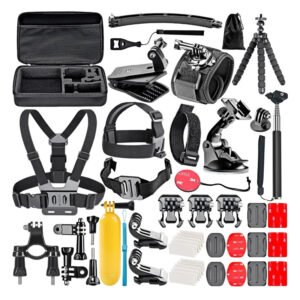 GoPro Accessories Kit 50 IN 1
1 × 9.900 OMR
-
×
 Bm 13k Bee Melodica
1 × 5.900 OMR
-
×
 Logitech Stereo Headset H390 Usb Connector
1 × 10.200 OMR
-
×
 Earldom Phone Holder ET EH293 For Cycle
1 × 1.300 OMR
-
×
 Earldom Laptop Stand ET EH173 Multifunction Creative Plastic
1 × 1.400 OMR
-
×
 OTVO P4 USB DATA CABLE (For P4 Host & Handle)
1 × 1.900 OMR
-
×
 Cle Usb Fridge
1 × 5.900 OMR
-
×
 Haysenser Nvme Case Ngff 3.2 Hys690
1 × 5.800 OMR
-
×
 Haysenser Cable 3.0 Micro
1 × 2.500 OMR
-
×
 Used Lenovo A588T
1 × 60.000 OMR
-
×
 Haysenser HY-C02 Card Reader
1 × 5.900 OMR
-
×
 Sony PS5 The Pathless Game CD
1 × 15.800 OMR
-
×
 Haysenser Usb Drive External
1 × 8.000 OMR
-
×
 Haysenser Hdmi To Display Adapter
1 × 6.000 OMR
-
×
 Biba Flute Deluxe
1 × 6.500 OMR
-
×
 Used Nokia E61i
1 × 40.000 OMR
-
×
 HAYSENSER HY-C09R4 CARD READER
1 × 10.800 OMR
Subtotal: 426.000 OMR
 New Arrivals
 Offers
 Service & Repair


There are no reviews yet.