Here’s a step-by-step guide on how to use the YAMAHA PSR-I300 Digital Keyboard with Indian Style:
1. **Unboxing and Inspection**:
– Carefully unbox the YAMAHA PSR-I300 Digital Keyboard and inspect all components to ensure nothing is damaged or missing.
2. **Power On**:
– Plug in the power adapter to the keyboard and a power outlet.
– Turn on the keyboard using the power switch located on the back or side of the instrument.
3. **Select Indian Style**:
– Use the control panel or menu interface to select the Indian Style mode on the keyboard.
– The PSR-I300 features a variety of Indian Styles, including rhythms and accompaniments suited for Indian music genres.
4. **Choose a Sound**:
– Select the desired instrument sound (such as sitar, tabla, harmonium, etc.) using the instrument selection buttons or menu options.
– Experiment with different sounds to find the ones that best suit your musical preferences.
5. **Adjust Settings**:
– Use the keyboard’s controls to adjust parameters such as volume, tempo, reverb, and other effects to customize the sound to your liking.
– You can also adjust the accompaniment volume and style intensity to match your performance needs.
6. **Play and Practice**:
– Play melodies, chords, and rhythms on the keyboard using the keys and accompaniment features.
– Practice playing along with the built-in rhythms and accompaniments to improve your timing and musical skills.
7. **Record and Playback**:
– Use the keyboard’s recording feature to record your performances.
– Playback your recordings to review your playing and track your progress over time.
8. **Connect External Devices (Optional)**:
– If desired, you can connect external devices such as headphones, amplifiers, or recording equipment to the keyboard’s audio output jacks.
– You can also connect external MIDI devices to expand the keyboard’s capabilities and control other instruments or software.
9. **Explore Additional Features**:
– Take some time to explore the additional features and functions of the YAMAHA PSR-I300 Digital Keyboard, such as built-in lessons, auto-accompaniment, and performance effects.
10. **Power Off and Storage**:
– When you’re finished using the keyboard, turn it off using the power switch.
– Unplug the power adapter from the keyboard and the power outlet.
– Store the keyboard in a safe and dry place when not in use to protect it from damage and dust.
By following these steps, you can effectively use the YAMAHA PSR-I300 Digital Keyboard with Indian Style to create music, practice, and enjoy playing a variety of musical genres.
Cleo-SFO Menstrual Heating Pad NGB362
Cleo-TY Rolls Royce Cullinan Metal Car Hcl 506
FANTECH FC 124 TURBINE DUAL SIDE ILLUMINATED
Cleo-TY Metal Pickup Blue 79388 1-24 Ford
SONY PS4 FINAL FANTASY VII GAME CD
Cpt 0783-347 Metal 1.22 Dfeneder
ONTEN USB to HDMI Adapter
XBOX ONE TOM CLANCY'S THE DIVISON 2 GAME CD
Fujifilm Instax Mini 12 Instant Camera Bundle
Coopic Digital Camera C400i
Cleo-TY Football Soccer Game HT2330
Ahuja Utp30 Wired Tie Clip Mic
Dobe Keyboard Tp4 822
Atouch Led Mini Game Box Keychain
XP PEN STAR G430S GRAPHIC TABLET
Jbl JR 310 Wired Headset
Fujifilm Instax Camera Square SQ1
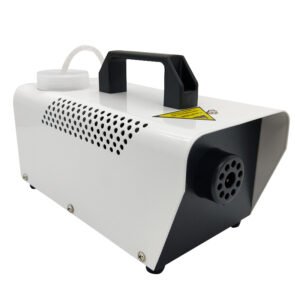
400W Disinfection Mini Fogger Machine
Bbt Hair Clipper Rfcd 9008
Cleo-TY Metal Jeep White 79368
Boya Wireless Microphone By Wm4 Pro
New Arrivals
Offers
Service & Repair


There are no reviews yet.