
 New Arrivals
 Offers
 Service & Repair

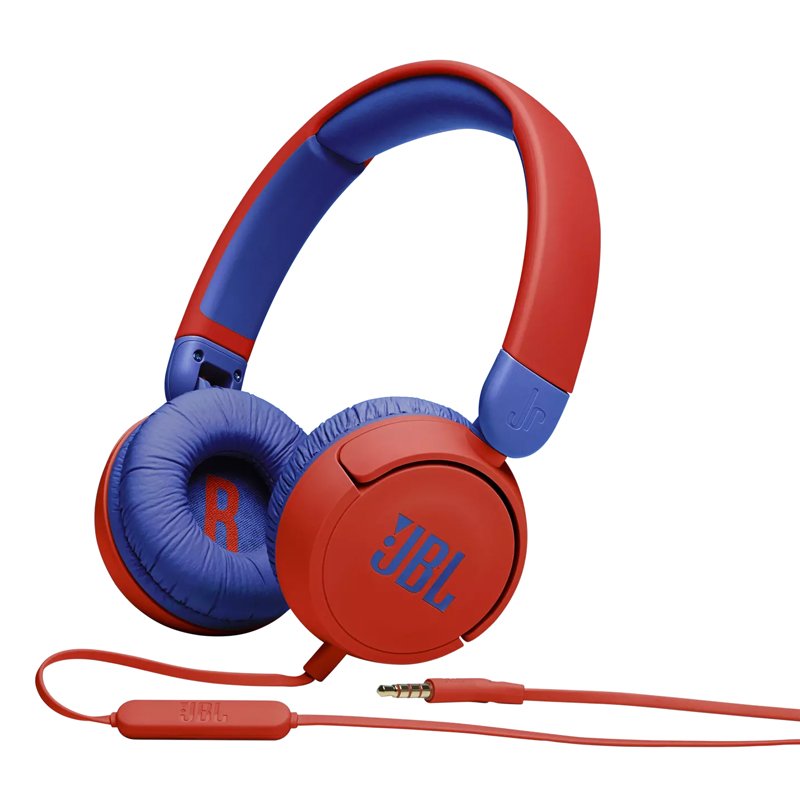
Jbl JR 310 Wired Headset
SKU: 020205000195
In stock
Legendary sound for small ears.
8.900 OMR
In stock
1. **Unboxing**: Carefully open the packaging of the JBL JR-310 Kids On-Ear Wired Headphones, making sure not to damage any of the contents inside. Remove the headphones and any accompanying accessories from the box.
2. **Adjusting Fit**: Before using the headphones, adjust the headband to fit your child’s head comfortably. The JBL JR-310 headphones typically have an adjustable headband and cushioned ear cups designed for smaller heads, ensuring a secure and comfortable fit.
3. **Connecting to Device**: Plug the headphone cable into the audio jack of your device, such as a smartphone, tablet, or computer. The JBL JR-310 headphones feature a standard 3.5mm audio jack that is compatible with most devices. Ensure the cable is securely inserted into the device’s audio port.
4. **Volume Limitation**: The JBL JR-310 headphones are specifically designed with built-in volume limitation to protect children’s hearing. There are no volume control buttons on the headphones themselves; instead, the volume is controlled directly from the device. Adjust the volume on the connected device to a safe and comfortable level for your child.
5. **Enjoying Audio**: Once the headphones are connected and adjusted, your child can start enjoying their favorite music, movies, or games. The JBL JR-310 headphones deliver high-quality sound with a focus on safety and comfort, allowing children to immerse themselves in audio content without any worries.
By following these steps, you can set up and start using the JBL JR-310 Kids On-Ear Wired Headphones, providing your child with a safe and enjoyable audio experience.
There are no reviews yet.