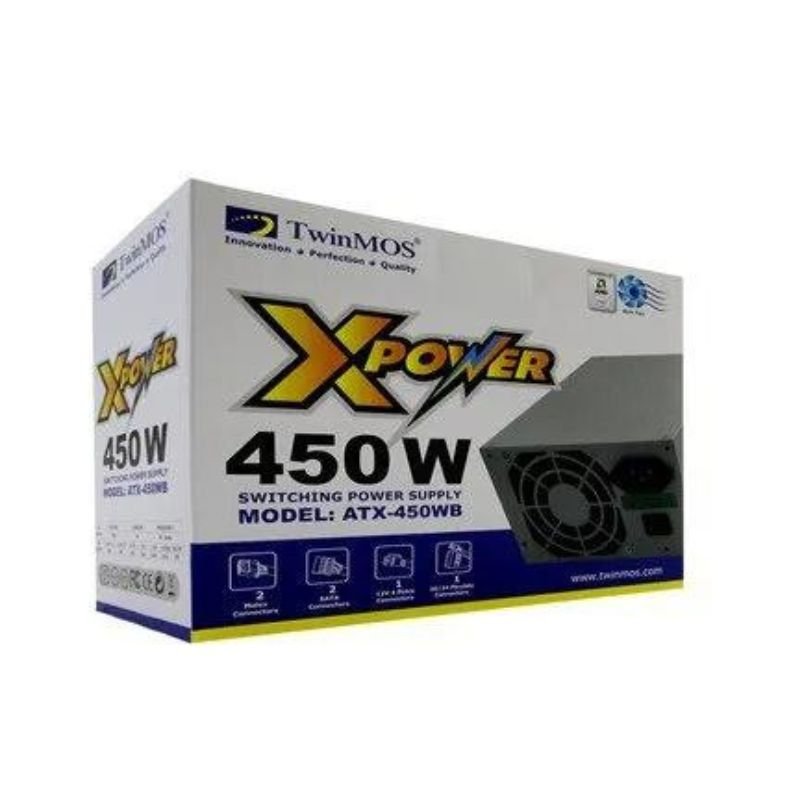
1. **Power Off Your Computer**: Before installing or replacing any power supply unit (PSU), it’s crucial to power off your computer and disconnect it from any power source to avoid electrical hazards.
2. **Open Your Computer Case**: Use a screwdriver to remove the screws securing the side panel of your computer case. Once removed, carefully slide off the side panel to access the internal components.
3. **Locate the Existing Power Supply Unit**: Identify the existing power supply unit (PSU) inside your computer case. It’s typically located at the top or bottom rear of the case, where the power cord connects to the external power source.
4. **Remove the Existing Power Supply Unit**: Depending on your computer case, there may be screws securing the PSU in place. Unscrew these and disconnect any power cables connected to the motherboard, drives, and other components. Carefully slide out the old PSU from the case.
5. **Install the Twinmos X Power Supply 450W**: Slide the Twinmos X Power Supply 450W into the empty slot left by the old PSU. Ensure that the PSU aligns with the screw holes in the case. Secure the PSU in place by screwing it onto the case. Next, connect the necessary power cables to the motherboard, drives, graphics card, and other components as per your computer’s configuration.
6. **Close Your Computer Case**: Once all connections are made and the PSU is securely installed, replace the side panel of your computer case and fasten the screws to secure it in place.
7. **Power On Your Computer**: Reconnect your computer to the power source and power it on. Verify that the Twinmos X Power Supply 450W is functioning correctly by checking for any LED indicators or fan activity.
Sony Ps 5 Spider Man Miles Morales CD
Sandisk Flash Drive i-xpand Dual Luxe 64GB Type-C to Lightning
SONY PS4 FINAL FANTASY VII GAME CD
Belkin F2CU012bt Mixit Cable Usb A to Micro 3mtr
Cle Usb Fridge
Google Fitbit Edge Fitness & Health Tracking Smart Band Green
Google Fitbit Edge Fitness & Health Tracking Smart Band Black
OTVO P4 USB DATA CABLE (For P4 Host & Handle)
New Arrivals
Offers
Service & Repair


There are no reviews yet.