
-
×
 PROMATE BLUEMATE 5 MINI USB ADAPTER
1 × 5.500 OMR
-
×
 Used NOKIA 9300
1 × 55.000 OMR
-
×
 Bm 13k Bee Melodica
2 × 5.900 OMR
-
×
 Used Nokia E61i
1 × 40.000 OMR
-
×
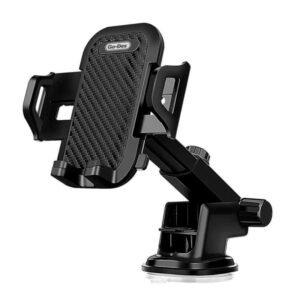 Go-des Car Holder Gd-Hd693 2in1 Shockproof
1 × 3.500 OMR
-
×
 Used NOKIA 7370
2 × 25.000 OMR
-
×
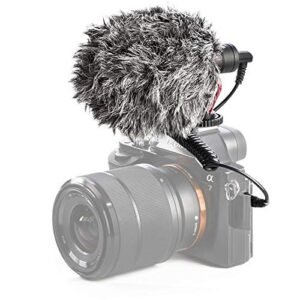 Candc DC C9 Cardioid Microphone
1 × 3.500 OMR
-
×
 YH 25 PS4 Multifunctional Heat Dissipation Charging Bracket
1 × 12.900 OMR
-
×
 SONY PS4 NIOH 2 GAME CD
1 × 9.900 OMR
-
×
 DOBE PS4 TP4 016 Mobile Phone CLAMP
1 × 1.900 OMR
-
×
 YH 31 PS4 2 in 1 Charging Heat Sink
1 × 11.900 OMR
-
×
 SONY PS4 Rocket Arena Game CD
1 × 16.800 OMR
-
×
 Boya Larger Diaphragm Condenser Microphone By M1000
1 × 38.800 OMR
-
×
 SONY PS4 Final Fantasy XII GAME CD
1 × 8.800 OMR
-
×
 Cleo-TY Kitchen Set HT 922-123
1 × 8.800 OMR
-
×
 Ipega Gladiator Game Joystick For Smart Phone Pg-9135
1 × 4.700 OMR
-
×
 Kalimba 17 Keys Finger Piano
1 × 13.800 OMR
-
×
 Yamaha Keyboard Psr i510 61 Keys Indian Style
1 × 154.000 OMR
-
×
 WRIST WATCH CK 102S BLOOD PRESSURE MONITOR
1 × 12.800 OMR
-
×
 SONY PS4 STAR WARS SQUADRONS GAME CD
1 × 15.800 OMR
Subtotal: 480.200 OMR
 New Arrivals
 Offers
 Service & Repair





There are no reviews yet.