
-
×
 XBOX ONE TOM CLANCY'S THE DIVISON 2 GAME CD
1 × 12.800 OMR
XBOX ONE TOM CLANCY'S THE DIVISON 2 GAME CD
1 × 12.800 OMR
Subtotal: 12.800 OMR
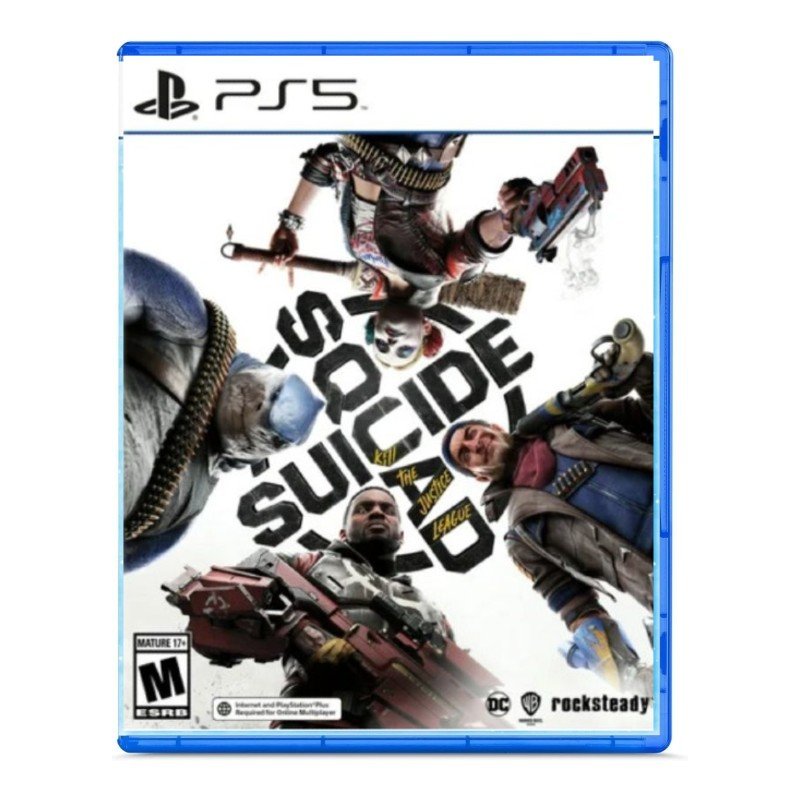
SKU: Sony PS5 Suicide Squad Game CD
In stock
The Sony PS5 Suicide Squad Game CD immerses players in the action-packed world of the Suicide Squad as they take on the Justice League. With stunning graphics, engaging gameplay, and an epic storyline, players will experience thrilling battles and intense missions in this highly anticipated game. Compatible with the PlayStation 5 console, this CD delivers an unparalleled gaming experience, combining cutting-edge technology with the iconic characters of the DC universe. Join the Suicide Squad and unleash chaos in Gotham City with this thrilling game CD for the PS5.
20.800 OMR
In stock
1. **Prepare Your PlayStation 5 Console:** Ensure that your PlayStation 5 console is powered on and ready to use. If the console is off, turn it on by pressing the power button on the front of the console or using the DualSense controller.
2. **Locate the Disc Slot:** Insert the Suicide Squad: Kill the Justice League game CD into the disc slot of your PlayStation 5 console. The disc slot is located on the front of the console, beneath the power button.
3. **Wait for Recognition:** After inserting the game CD, wait a moment for the PlayStation 5 console to recognize the disc. You may hear the disc spinning as the console reads the data.
4. **Install the Game:** Once the disc is recognized, the game installation process will begin automatically. Follow the on-screen prompts to install the game onto your PlayStation 5 console’s internal storage. Depending on the size of the game and the speed of your console, this process may take some time.
5. **Start Playing:** After the installation is complete, the game will be available in your PlayStation 5 library. Navigate to the game icon using the console’s dashboard or the game library menu. Select the game icon and press the “X” button on your DualSense controller to start playing Suicide Squad: Kill the Justice League.
| Weight | 1 kg |
|---|
The Toukiden series tells the tale of humanity’s last stand for survival against demonic, soul-devouring Oni. As revealed in Toukiden The Age Of Demons, humanity was protected for centuries by the secret clan of warriors, the Slayers, trained to dispose of the supernatural threat before it could consume the world. An event know as the Awakening caused rifts to appear in space and time – resurfacing places that had long disappeared from the world and unleashing swarms of Oni that relentlessly hunted humans.
The world has fallen under the control of the Shinra Electric Power Company, a shadowy corporation controlling the planet’s very life force as mako energy. In the sprawling city of Midgar, an anti-Shinra organization calling themselves Avalanche have stepped up their resistance. Cloud Strife, a former member of Shinra’s elite SOLDIER unit now turned mercenary, lends his aid to the group, unaware of the epic consequences that await him.
 New Arrivals
 Offers
 Service & Repair


There are no reviews yet.