
-
×
 TP Link HD 720P CLOUD CAMERA 300 Mbps WiFi NC 250
1 × 11.900 OMR
-
×
 Proline Vlm-550 Lens
1 × 11.900 OMR
-
×
 Motorola Edge 70 Fusion 5g Gsm Ram 12 GB 256 GB
1 × 142.800 OMR
-
×
 Ahuja Utp30 Wired Tie Clip Mic
1 × 10.000 OMR
-
×
 used Nokia 3109
1 × 17.900 OMR
-
×
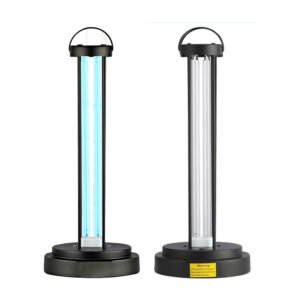 HY 015 Ultraviolet Disinfection Lamp
1 × 3.450 OMR
-
×
 Ahuja Ats 5 Mic Stand
1 × 6.000 OMR
-
×
 Candc DC C9 Cardioid Microphone
1 × 3.500 OMR
-
×
 Sony Ps 4 Assassins Creed Mirage CD
1 × 15.900 OMR
-
×
 Boya Lavalier Microphone By M40d
1 × 20.000 OMR
-
×
 GameSir F5 Falcon Mini Mobile Gaming Controller
1 × 3.900 OMR
-
×
 DLC-39032 COFFEE ROASTER
1 × 13.800 OMR
-
×
 KAKUSIGA KSC 791 Car Holder
1 × 2.500 OMR
-
×
 Bella contact lens One day collection with plano
1 × 8.000 OMR
-
×
 Sony PS5 Village Resident Evil Game CD
1 × 12.900 OMR
-
×
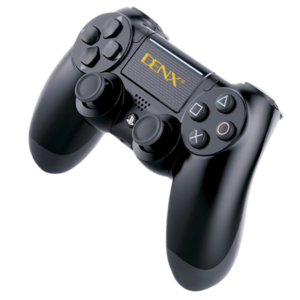 Denx PS 4 Dual Shock Wireless Controller
1 × 12.900 OMR
Subtotal: 297.350 OMR
 New Arrivals
 Offers
 Service & Repair


There are no reviews yet.