
 New Arrivals
 Offers
 Service & Repair

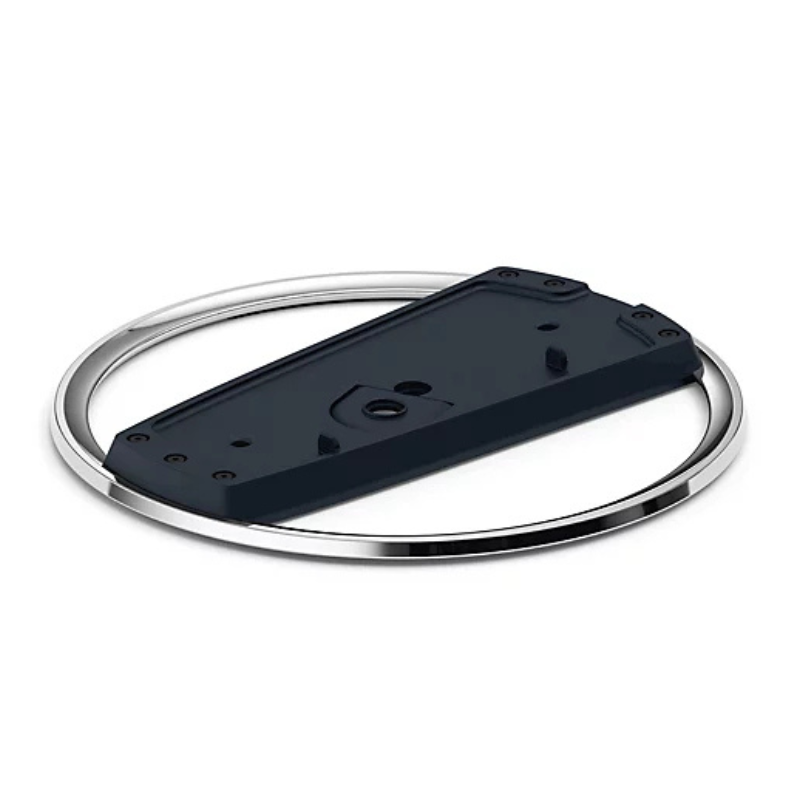
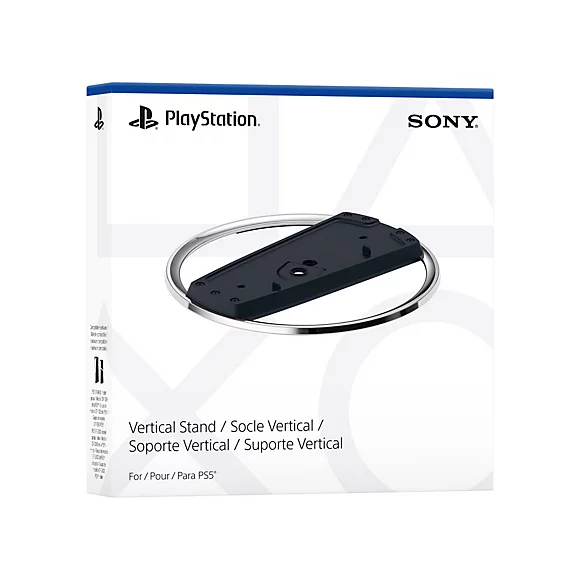
Sony PS 5 Vertical Stand
SKU:
Out of stock
The Sony PS5 Vertical Stand securely holds the PlayStation 5 console in an upright position. It ensures proper airflow, adds stability, and reduces the risk of tipping over. Ideal for users who prefer vertical placement to save space or for aesthetic reasons.
Out of stock
✅ What You’ll Need:
-
PS5 console (Disc or Digital Edition)
-
Sony PS5 Vertical Stand (official or compatible)
-
A coin or flathead screwdriver (optional, for screw)
🪛 For PS5 Disc Edition (with a disc drive):
-
Power Off & Unplug
Ensure your PS5 is turned off and unplugged from any cables. -
Locate the Stand & Screw
The stand comes with a screw hidden in the base. Remove it by turning the base to open the hidden compartment. -
Remove the Cap
On the bottom of the PS5 (where the stand goes), you’ll see a circular cap—remove it carefully. -
Align the Stand
Line up the stand with the base of the PS5 where the cap was removed. -
Insert the Screw
Use a coin or flathead screwdriver to secure the stand to the PS5 with the screw. -
Place the Console Upright
Stand the console vertically on a flat surface. Make sure it’s stable.
🪛 For PS5 Digital Edition (no disc drive):
-
No Screw Needed
The stand clips onto the base—no screw required for the Digital Edition. -
Align the Stand
Snap the stand onto the bottom curved part of the console. It should click into place. -
Double-Check Stability
Gently wiggle to ensure it’s securely attached. -
Stand the Console Up
Place it upright in a safe location with room for airflow.
Brand
Sony
Based on 0 reviews
Be the first to review “Sony PS 5 Vertical Stand”
Related products
-
Game Consoles, Video Games & Consoles
وحدة تحكم Nintendo Switch Pro – إصدار Monster Hunter Rise
تصميم فني حصري لهواة الجمع: يتميز برسومات ماغنامالو ذهبية معدنية رائعة على هيكل بلون فحمي داكن شفاف، مع رموز قرية كامورا المميزة.
وظائف وحدة تحكم احترافية كاملة: مزودة بأدوات تحكم بالحركة، واهتزاز عالي الدقة، ونقطة اتصال NFC مدمجة لمسح amiibo، ومقابض مريحة ذات ملمس مميز.
اتصال لاسلكي فائق: اقتران سلس عبر البلوتوث مع أجهزة Nintendo Switch وSwitch OLED وSwitch Lite، بالإضافة إلى دعم الاتصال السلكي بالكمبيوتر عبر منفذ USB-C.
عمر بطارية طويل: بطارية ليثيوم أيون مدمجة قابلة لإعادة الشحن توفر ما يصل إلى 40 ساعة من اللعب المتواصل بشحنة كاملة واحدة.
SKU: 0906000076 -
Game Consoles, Video Games & Consoles
وحدة تحكم الألعاب المحمولة GA M68 NGB
جهاز ألعاب محمول رسمي من Cleo-GA طراز M68 (سلسلة NGB)، يتميز بتصميم مريح يشبه أذرع التحكم، لتجربة لعب كلاسيكية مريحة.
مزود بشاشة ملونة كبيرة عالية الدقة IPS مقاس 4.3 بوصة، توفر زوايا رؤية واسعة ورسومات بكسل نابضة بالحياة.
عصا تحكم تناظرية مزدوجة، بالإضافة إلى لوحة تحكم اتجاهية كلاسيكية، وأزرار تحكم، ومحفزات جانبية، لتحكم دقيق بزاوية 360 درجة في الألعاب المعقدة.
محمل مسبقًا بآلاف الألعاب الكلاسيكية عبر العديد من محاكيات أجهزة الألعاب الكلاسيكية الشهيرة.
يحتوي على منفذ إخراج فيديو عالي الدقة/AV لعرض اللعبة بسهولة على شاشات التلفزيون الكبيرة والشاشات الخارجية.
يعمل ببطارية قابلة للشحن عالية السعة، توفر ساعات من اللعب المتواصل عبر منفذ USB Type-C.
SKU: 0910000077 -
Game Consoles, Video Games & Consoles
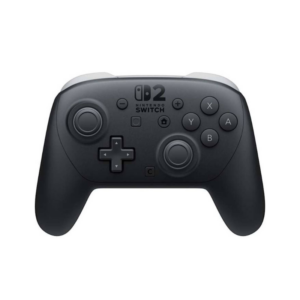
وحدة تحكم Nintendo Switch Pro
وحدة تحكم نينتندو برو من الجيل الجديد: مصممة خصيصًا لجهاز نينتندو سويتش 2، وتتميز بتصميم مريح للغاية واتصال لاسلكي فائق الاستجابة ومنخفض التأخير.
عصي تحكم تناظرية مغناطيسية بتقنية هول: توفر المستشعرات المغناطيسية المقاومة للانحراف دقة عالية تدوم طويلًا، ودورانًا سلسًا، وانعدامًا تامًا للانحراف.
استجابة لمسية محسّنة واستشعار جيروسكوبي: تقنية اهتزاز لمسية واسعة النطاق مطورة ومستشعرات حركة فائقة الحساسية بستة محاور لتجربة لعب غامرة ودقيقة.
أزرار خلفية قابلة للبرمجة وشحن سريع عبر منفذ USB-C: تتضمن أزرارًا خلفية قابلة للبرمجة لتخصيص تخطيطات الأزرار وشحنًا سريعًا عبر منفذ USB-C مع أداء بطارية ممتد.
SKU: 0906000071 -
Game Consoles, Video Games & Consoles
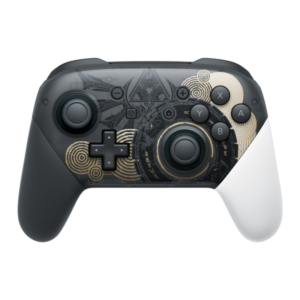
وحدة تحكم Nintendo Switch Pro – إصدار The Legend of Zelda
تصميم ورسومات زيلدا حصرية: يتميز بلوحة أمامية مزينة بنقوش رونية زوناي ذهبية وسوداء لافتة للنظر، مع مقبض أيمن أبيض اللون.
تصميم مريح احترافي: تصميم لوحة ألعاب تقليدي مع عصا تحكم تناظرية غير متماثلة، ولوحة تحكم اتجاهية كاملة الحجم، ومقابض مريحة مصممة خصيصًا لجلسات لعب طويلة.
تحكم متطور بالحركة واهتزاز عالي الدقة: توفر مستشعرات الحركة المدمجة وردود الفعل اللمسية الدقيقة تتبعًا مكانيًا عالي الدقة وواقعية لمسية فائقة.
تقنية NFC مدمجة لشخصيات amiibo: يتيح قارئ amiibo المدمج في الشعار المركزي للاعبين مسح الشخصيات المتوافقة فورًا للحصول على مكافآت حصرية داخل اللعبة.
SKU: 0906000078
There are no reviews yet.