
-
×
 BBurago Metal Car Ferrari 296 GTB Size 1.18 18-16018
8 × 42.900 OMR
-
×
 YH 25 PS4 Multifunctional Heat Dissipation Charging Bracket
1 × 12.900 OMR
-
×
 OMNIKEY 3121 CARD READER
2 × 7.900 OMR
-
×
 King Imperial Star Destroyer Toys 81029
1 × 39.800 OMR
-
×
 Behringer Sl 4240 Wall Mounted Speaker
1 × 85.000 OMR
-
×
 4 In 1 Mobile Game Combo Pack
1 × 8.900 OMR
-
×
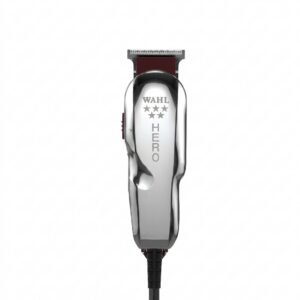 WAHL HERO PROFESSIONAL TRIMMER 8991
1 × 32.800 OMR
-
×
 Sony PS5 Village Resident Evil Game CD
1 × 12.900 OMR
-
×
 Boya By Wm8 Pro K2 Uhf Dual Channel Wireless Microphone
1 × 76.800 OMR
-
×
 Philips OneBlade 360 Shaver QP2734/23
1 × 22.900 OMR
-
×
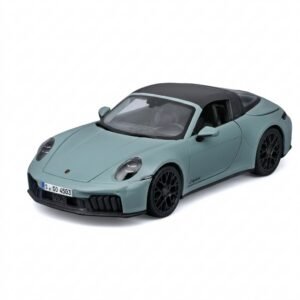 Maisto Metal Car Porsche 911 Targa 4 GTS Size 1.18 31470
1 × 42.885 OMR
-
×
 Hot Wheels Deutschland Design
1 × 4.900 OMR
-
×
 Maisto Metal Car Porsche 911 GT3 Size 1.18 36458
1 × 42.885 OMR
-
×
 Cleo-EL Portable Power Station 300W ZHY-CN01
1 × 44.900 OMR
Subtotal: 786.570 OMR
 New Arrivals
 Offers
 Service & Repair







There are no reviews yet.