
-
×
 Bm 13k Bee Melodica
1 × 5.900 OMR
-
×
 Wtrtr Evaporative Air Cooler Wtr k115 60L
1 × 54.800 OMR
-
×
 Cleo-TY Metal Car Mercedes Benz S400L Size 1.24
1 × 6.500 OMR
-
×
 SONY PS4 Rock of Ages 3 Game CD
1 × 13.800 OMR
-
×
 Tobi Electric Air Frye 15L TB969 2400W
1 × 34.900 OMR
-
×
 CANON PIXMA 510 BLACK CARTRIDGE
1 × 8.000 OMR
-
×
 BBurago Metal Car Ferrari 296 GTB Size 1.18 18-16018
1 × 42.900 OMR
-
×
 Philips 1000 Series Body Groomer BG1025/15
2 × 10.900 OMR
-
×
 Maisto Metal Car Porsche 911 GT3 Size 1.18 36458
2 × 42.885 OMR
-
×
 Philips OneBlade 360 Shaver QP2734/23
4 × 22.900 OMR
-
×
 WAHL 3615 Cordless Mobile shaver
1 × 9.800 OMR
-
×
 OMNIKEY 3121 CARD READER
1 × 7.900 OMR
-
×
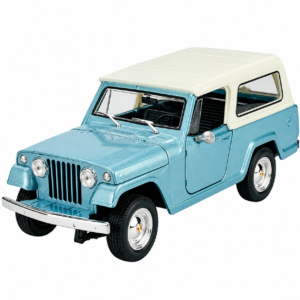 Welly Metal Car Jeep Jeepster Commando Station Wagon Size 1.24 WL-24117H-W
1 × 12.900 OMR
-
×
 Telionix Electric Air Fryer 9L TAF4424
2 × 34.900 OMR
-
×
 Cleo-EL Portable Power Station 300W ZHY-CN01
2 × 44.900 OMR
-
×
 Sony PS5 The Pathless Game CD
1 × 15.800 OMR
-
×
 Cle Usb Fridge
1 × 5.900 OMR
Subtotal: 577.870 OMR
 New Arrivals
 Offers
 Service & Repair





There are no reviews yet.