
 New Arrivals
 Offers
 Service & Repair

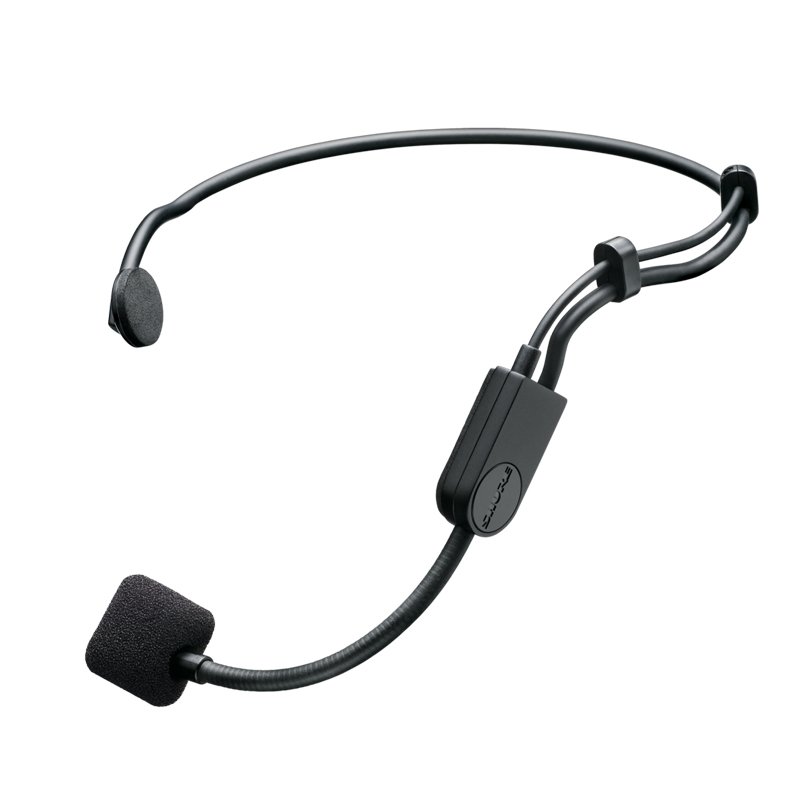
Shure Pga31 Tqg Microphone
SKU: SHURE PGA-31-TQG MICROPHONE
In stock
The SHURE PGA-31-TQG microphone is a reliable and versatile headset microphone designed for hands-free audio capture. With its comfortable and secure fit, it’s perfect for performers, presenters, fitness instructors, and other users who need freedom of movement while speaking or performing. Featuring a clear and natural sound reproduction, the PGA-31-TQG ensures excellent vocal clarity in various applications. Its TQG connector makes it compatible with a wide range of wireless bodypack transmitters, offering seamless integration into existing audio systems. Whether you’re on stage, leading a fitness class, or giving a presentation, the SHURE PGA-31-TQG microphone delivers consistent and professional audio performance.
35.000 OMR
In stock
1. **Attachment**: Begin by securely attaching the SHURE PGA-31-TQG microphone to your clothing or head using the included wearable clip or headband. Ensure the microphone is positioned close to your mouth for optimal audio capture.
2. **Connection**: Connect the PGA-31-TQG microphone to a compatible audio transmitter or device using the TQG (TA4F) connector. This connector is commonly used with wireless bodypack transmitters, making the PGA-31-TQG ideal for hands-free operation during performances, presentations, or fitness instruction.
3. **Powering**: If using the PGA-31-TQG microphone with a wireless transmitter, ensure that the transmitter is powered on and functioning properly. The microphone will draw power from the transmitter to operate.
4. **Sound Check**: Before use, conduct a sound check to ensure the microphone is capturing audio effectively. Speak or sing into the microphone at a normal volume and listen to the output through a connected audio system or headphones. Adjust the microphone’s position or gain settings on the transmitter as needed to achieve clear and balanced sound reproduction.
5. **Performance**: Once the microphone is properly set up and tested, you’re ready to use it in your performance, presentation, or other audio application. Move freely and confidently knowing that the SHURE PGA-31-TQG microphone will deliver reliable and clear sound capture throughout your performance.
Brand
SHURE
Based on 0 reviews
Be the first to review “Shure Pga31 Tqg Microphone”
Related products
-
Music
Ahuja Utp30 Wired Tie Clip Mic
Miniature unidirectional electret condenser lavalier type microphone for lectures, interviews, religious places, recordings etc.A strong, fixed tie-clip prevents the microphone from being displaced accidentally. Also, a neckband is supplied if the tie-clip is not to be used. The cell container is provided to accommodate a single pencil cell. The cable length is 6.0 meters.
SKU: AHUJA UTP30 WIRED TIE CLIP MIC -
Microphones, Music
Boya By Wm8 Pro K2 Uhf Dual Channel Wireless Microphone
*Ideal for interviews, ENG/EFP,film production *compander for high quality and clear sound *dual channel wireless receiver *48 UHF channels * more than 6 hours continuous operation * operation range cn rech upto 100m (wihout obstacle) * automatic LCD locked function *easy to read LCD disply
SKU: BOYA BY WM8 PRO K2 UHF DUAL CHANNEL WIRELESS MICROPHONE


There are no reviews yet.