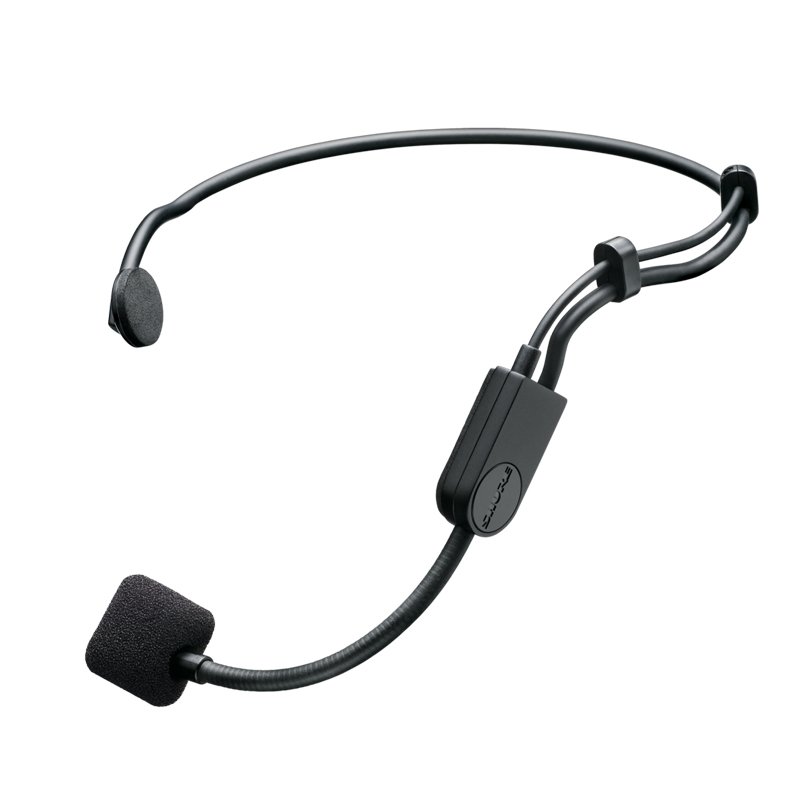
1. **Attachment**: Begin by securely attaching the SHURE PGA-31-TQG microphone to your clothing or head using the included wearable clip or headband. Ensure the microphone is positioned close to your mouth for optimal audio capture.
2. **Connection**: Connect the PGA-31-TQG microphone to a compatible audio transmitter or device using the TQG (TA4F) connector. This connector is commonly used with wireless bodypack transmitters, making the PGA-31-TQG ideal for hands-free operation during performances, presentations, or fitness instruction.
3. **Powering**: If using the PGA-31-TQG microphone with a wireless transmitter, ensure that the transmitter is powered on and functioning properly. The microphone will draw power from the transmitter to operate.
4. **Sound Check**: Before use, conduct a sound check to ensure the microphone is capturing audio effectively. Speak or sing into the microphone at a normal volume and listen to the output through a connected audio system or headphones. Adjust the microphone’s position or gain settings on the transmitter as needed to achieve clear and balanced sound reproduction.
5. **Performance**: Once the microphone is properly set up and tested, you’re ready to use it in your performance, presentation, or other audio application. Move freely and confidently knowing that the SHURE PGA-31-TQG microphone will deliver reliable and clear sound capture throughout your performance.

 Ahuja Utp30 Wired Tie Clip Mic
1 × 10.000 OMR
Ahuja Utp30 Wired Tie Clip Mic
1 × 10.000 OMR  Boya By Wm8 Pro K2 Uhf Dual Channel Wireless Microphone
1 × 76.800 OMR
Boya By Wm8 Pro K2 Uhf Dual Channel Wireless Microphone
1 × 76.800 OMR  Cleo Plastic Recorder
1 × 0.700 OMR
Cleo Plastic Recorder
1 × 0.700 OMR  Tolaye Ks06 Keyboard Stand
1 × 14.000 OMR
Tolaye Ks06 Keyboard Stand
1 × 14.000 OMR  Bm 13k Bee Melodica
1 × 5.900 OMR
Bm 13k Bee Melodica
1 × 5.900 OMR  New Arrivals
 Offers
 Service & Repair



There are no reviews yet.