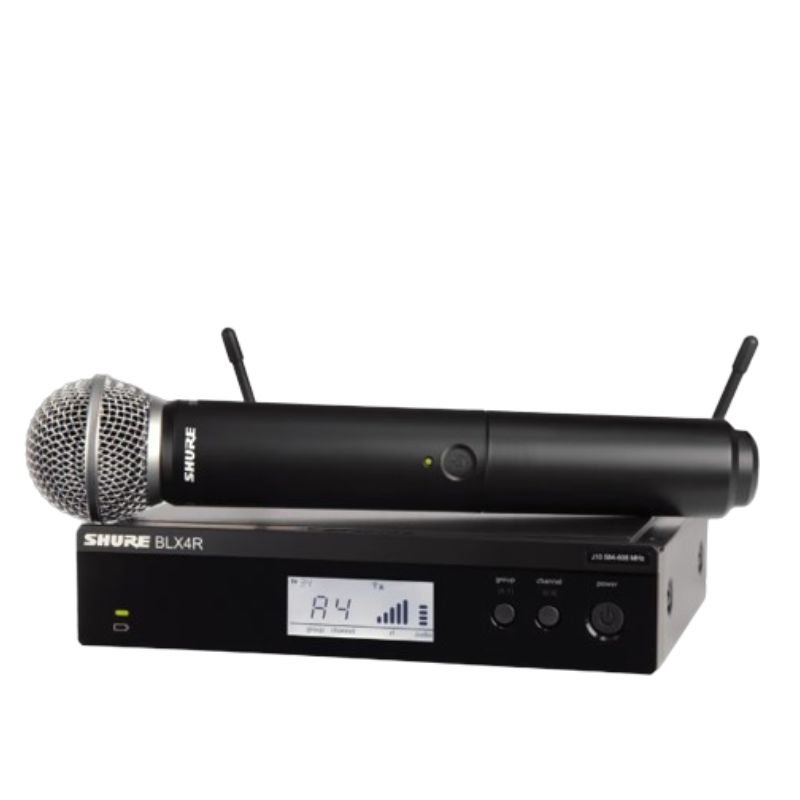
1. **Power On**: Insert fresh batteries into both the microphone transmitter and the receiver. Power on both devices using their respective power buttons or switches.
2. **Frequency Selection**: Use the frequency selection feature on the receiver to choose a clear and interference-free frequency. Ensure that the transmitter is set to the same frequency for proper communication.
3. **Syncing Transmitter and Receiver**: Press the sync button on the receiver unit and hold it down until the sync LED starts blinking. Then, press the sync button on the microphone transmitter. This establishes a secure connection between the two devices.
4. **Microphone Setup**: Attach the SM58 microphone capsule to the transmitter by securely screwing it onto the top of the unit. Position the microphone according to your preference for optimal sound pickup.
5. **Sound Check**: Perform a sound check to adjust volume levels and equalization settings as needed. Monitor the audio output from the receiver unit to confirm that the microphone is functioning correctly and delivering clear sound.
Biba Flute Deluxe
INSTA 360 ONE R TWIN EDITION LENS ACTION CAMERA
Canon Cartridge 054 Magenta
Sony PS5 Village Resident Evil Game CD
Itc T 200b 15W Pendant Speaker
Yamaha Psr Sx920 Keyboard
Max Bms 135 Boom Mic Stand
Bm 13k Bee Melodica
Digitplus Data Cable DP-C105L Usb C to Lightning 30w 2mtr
SONY PS4 STAR WARS SQUADRONS GAME CD
Max Dh 302 Microphone
New Arrivals
Offers
Service & Repair


There are no reviews yet.