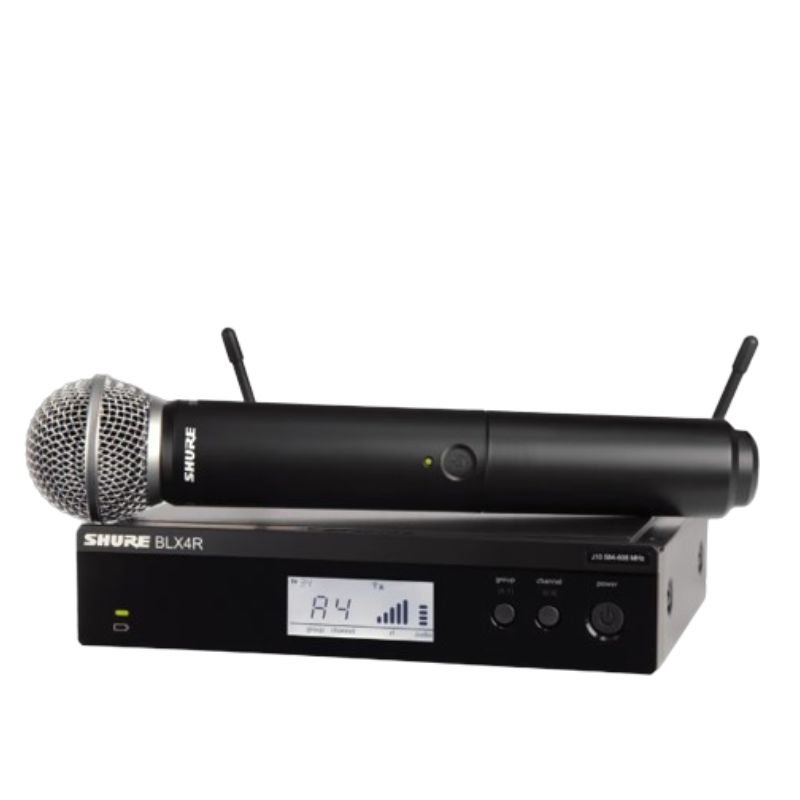
1. **Power On**: Insert fresh batteries into both the microphone transmitter and the receiver. Power on both devices using their respective power buttons or switches.
2. **Frequency Selection**: Use the frequency selection feature on the receiver to choose a clear and interference-free frequency. Ensure that the transmitter is set to the same frequency for proper communication.
3. **Syncing Transmitter and Receiver**: Press the sync button on the receiver unit and hold it down until the sync LED starts blinking. Then, press the sync button on the microphone transmitter. This establishes a secure connection between the two devices.
4. **Microphone Setup**: Attach the SM58 microphone capsule to the transmitter by securely screwing it onto the top of the unit. Position the microphone according to your preference for optimal sound pickup.
5. **Sound Check**: Perform a sound check to adjust volume levels and equalization settings as needed. Monitor the audio output from the receiver unit to confirm that the microphone is functioning correctly and delivering clear sound.
DOBE PS4 TP4 023B Charging STAND
Ahuja Utp30 Wired Tie Clip Mic
Dobe Keyboard Tp4 822
L-1 Professional Streaming Player Stand
Boya By Wm4 Pro K3 2.4ghz Wireless Microphone System
Boya Lavalier Microphone By M40d
Sony PS4 Minecraft Dungeons Hero Edition Game CD
SONY PS4 Rocket Arena Game CD
Kalimba 17 Keys Finger Piano
Bm 13k Bee Melodica
ANNKE CAMERA CT1DT
DUDAO AUX 3.5 mm Cable Connector
Boya Wireless Microphone By Wm4 Pro
New Arrivals
Offers
Service & Repair


There are no reviews yet.