
-
×
 Boya Wireless Microphone By Wm4 Pro
1 × 47.900 OMR
Boya Wireless Microphone By Wm4 Pro
1 × 47.900 OMR -
×
 Max Dh 821 Wireless Microphone
1 × 22.000 OMR
Max Dh 821 Wireless Microphone
1 × 22.000 OMR
Subtotal: 69.900 OMR
SKU: 1410000056
In stock
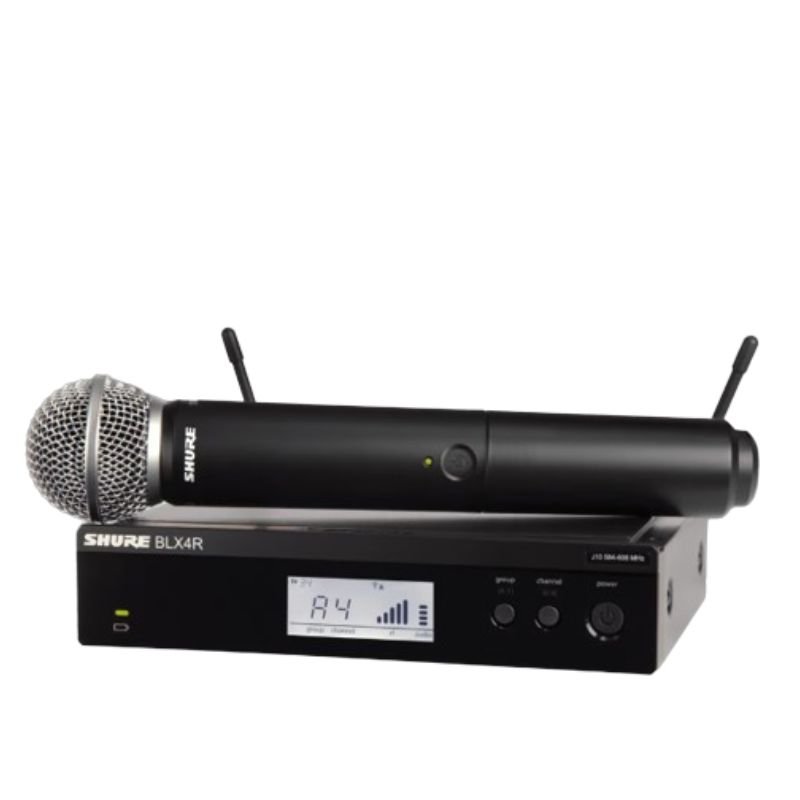
The Shure BLX24RUK/SM58 Microphone is a versatile wireless microphone system, renowned for its reliability and exceptional sound quality. Featuring the iconic SM58 microphone capsule, it delivers crisp vocals with a tailored frequency response, perfect for live performances, speeches, and presentations. The BLX24R receiver offers intuitive setup and robust wireless connectivity, while the rugged construction ensures durability for on-the-go use. With easy operation and professional-grade audio performance, the BLX24RUK/SM58 is a trusted choice for musicians, speakers, and performers worldwide.
180.000 OMR
In stock
1. **Power On**: Insert fresh batteries into both the microphone transmitter and the receiver. Power on both devices using their respective power buttons or switches.
2. **Frequency Selection**: Use the frequency selection feature on the receiver to choose a clear and interference-free frequency. Ensure that the transmitter is set to the same frequency for proper communication.
3. **Syncing Transmitter and Receiver**: Press the sync button on the receiver unit and hold it down until the sync LED starts blinking. Then, press the sync button on the microphone transmitter. This establishes a secure connection between the two devices.
4. **Microphone Setup**: Attach the SM58 microphone capsule to the transmitter by securely screwing it onto the top of the unit. Position the microphone according to your preference for optimal sound pickup.
5. **Sound Check**: Perform a sound check to adjust volume levels and equalization settings as needed. Monitor the audio output from the receiver unit to confirm that the microphone is functioning correctly and delivering clear sound.
*Gold-sputtered diaphragm *broadcast quality condenser microphone *cardioid omnidirectional and bidirectional polar patterns *wide frequency range and ultra low noise *off-axis rejection for clean recordings controlled by low-cut filter switch *all-metel housing * 3m(10ft)XLR cable included *0dB,-10dB pad switch
 New Arrivals
 Offers
 Service & Repair


There are no reviews yet.