
 New Arrivals
 Offers
 Service & Repair

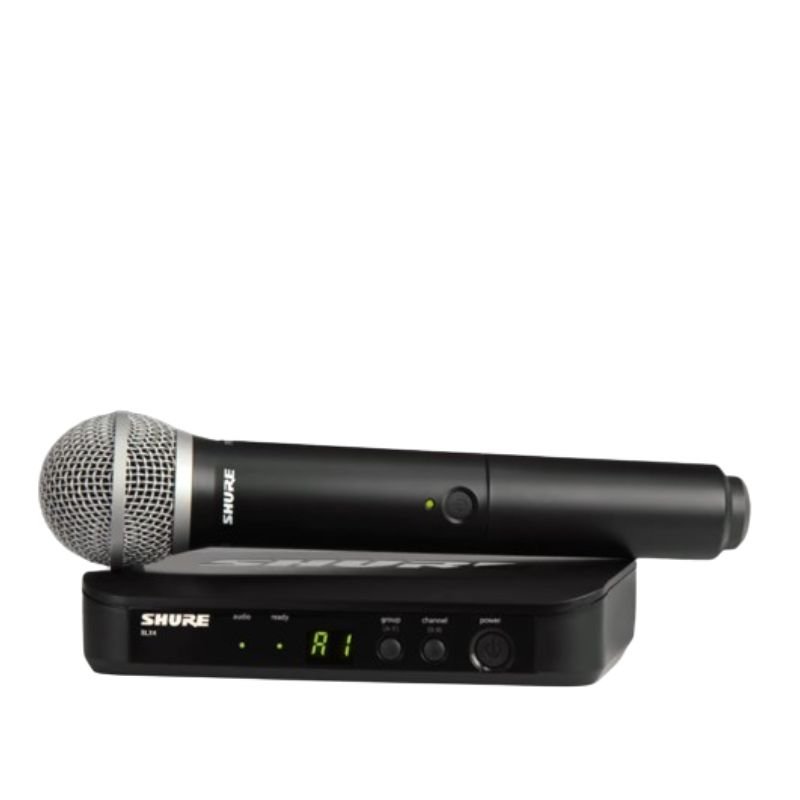
Shure Blx24/Pg58 H8e Wireless Mic
SKU: 141002000014
In stock
The Shure BLX24/PG58 Wireless Microphone System offers reliable wireless performance combined with the renowned sound quality of Shure microphones. Featuring a durable construction and easy setup, this system provides freedom of movement without sacrificing sound clarity. The PG58 microphone capsule delivers crisp vocals with a tailored frequency response, making it ideal for live performances, presentations, and speeches. With simple operation and dependable wireless connectivity, the BLX24/PG58 ensures professional-grade audio for any application.
134.000 OMR
In stock
1. **Power On**: Begin by inserting fresh batteries into both the microphone transmitter and the receiver unit. Power on both devices by pressing their respective power buttons. Ensure that the transmitter and receiver are set to the same frequency band for proper communication.
2. **Frequency Selection**: Use the frequency selection feature on the receiver to choose a clear and interference-free frequency. This helps to avoid signal dropouts and ensures stable wireless performance.
3. **Syncing Transmitter and Receiver**: Press the sync button on the receiver unit and hold it down until the sync LED starts blinking. Then, press the sync button on the microphone transmitter. The two devices will communicate and sync automatically, establishing a secure connection.
4. **Microphone Setup**: Attach the PG58 microphone capsule to the transmitter by securely screwing it onto the top of the unit. Ensure that the microphone is positioned correctly for optimal sound pickup and clarity.
5. **Sound Check**: With the microphone turned on and properly connected, perform a sound check to adjust volume levels and equalization settings as needed. Monitor the audio output from the receiver unit to confirm that the microphone is functioning correctly and delivering clear sound.
| Weight | 1 kg |
|---|
Brand
SHURE
Based on 0 reviews
Be the first to review “Shure Blx24/Pg58 H8e Wireless Mic”
Related products
-
Microphones, Music
Boya By Wm8 Pro K2 Uhf Dual Channel Wireless Microphone
*Ideal for interviews, ENG/EFP,film production *compander for high quality and clear sound *dual channel wireless receiver *48 UHF channels * more than 6 hours continuous operation * operation range cn rech upto 100m (wihout obstacle) * automatic LCD locked function *easy to read LCD disply
SKU: BOYA BY WM8 PRO K2 UHF DUAL CHANNEL WIRELESS MICROPHONE -
-
Microphones, Music
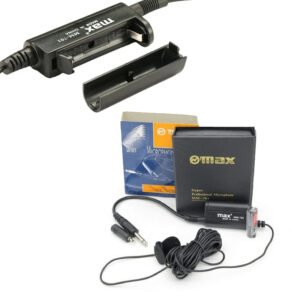
Max Mm 701 Microphone
– New style 6 meters long lavalier microphone products, the new microphone sound quality is good, pickup, good anti-whistle effect, price, relatively high cost, can be used in various occasions, portable, multi-functional!
– Designed for use on stage, lecturer, vocal, speech, and other applications
– Lightweight, comfortable and durable.
– Product selection of high quality materials, practical and durable
– 100% Original, Brand New and high quality
– High level of acoustic fidelity and durability.
SKU: MAX MM 701 MICROPHONE


There are no reviews yet.