
-
×
 Go Pro Max 2 360 Action Camera With Memory Card CHDSZ-311-RT
2 × 179.900 OMR
-
×
 Fujifilm Camera Square Film
2 × 5.500 OMR
-
×
 Coopic Digital Camera C200
1 × 24.800 OMR
-
×
 Dji Osmo Pocket 3 Creator Combo
1 × 189.900 OMR
-
×
 Cleo-EL Thumb Action Camera
1 × 15.900 OMR
-
×
 Coopic Digital Video Camera HDV 980
1 × 39.800 OMR
-
×
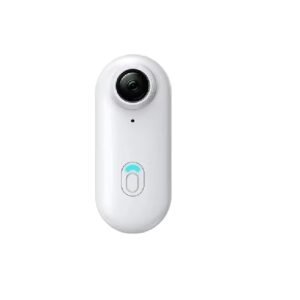 Cleo-EL Sports Camera 4K With Wi-Fi H265
1 × 28.900 OMR
-
×
 Dji Osmo 360 Adventure Combo Camera OQ001
1 × 180.900 OMR
-
×
 Coopic 18X Digital Camera C900
1 × 39.800 OMR
-
×
 Tolaye Ks06 Keyboard Stand
2 × 14.000 OMR
-
×
 Sandisk Flash Drive i-xpand Dual Luxe 64GB Type-C to Lightning
1 × 11.500 OMR
-
×
 Sony PS4 Minecraft Dungeons Hero Edition Game CD
1 × 13.800 OMR
Subtotal: 944.100 OMR
 New Arrivals
 Offers
 Service & Repair




There are no reviews yet.