
-
×
 Anker B2697 140W 4-Port PD 3.1 Charger with USB-C Cable
1 × 24.500 OMR
-
×
 TP Link HD 720P CLOUD CAMERA 300 Mbps WiFi NC 250
1 × 11.900 OMR
-
×
 Tolaye Ks06 Keyboard Stand
1 × 14.000 OMR
-
×
 CPT galaxy tab s6lite / A8/505/515/A9/A9+ Samsung Smart Keyboard Case
1 × 8.900 OMR
-
×
 XIAOMI MI (M2116W1) S1 ACTIVE SMART WATCH
1 × 35.900 OMR
-
×
 Sony PS4 Village Resident Evil Game CD
1 × 18.700 OMR
-
×
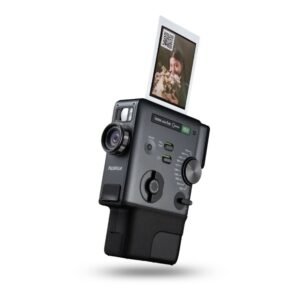 Fujifilm Instax Mini Evo Cinema Hybrid Instant Camera
1 × 141.900 OMR
-
×
 SONY PS4 TOM CLANCY'S RAINBOW SIX SIEGE GAME CD
1 × 17.700 OMR
-
×
 Keyboard Protector 14 & 15 inch Silicon
1 × 0.900 OMR
-
×
 USB DATA CABLE PS4
1 × 1.900 OMR
-
×
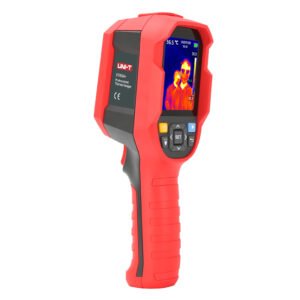 UNI-T UTI65H PROFESSIONAL THERMAL IMAGER
1 × 94.900 OMR
-
×
 Max Utz58 Wireless Microphone
1 × 35.000 OMR
-
×
 Behringer Dd610R Rgb Wa Uv Led Mirror Ball
1 × 18.000 OMR
-
×
 DOBE PS4 TP4 016 Mobile Phone CLAMP
1 × 1.900 OMR
-
×
 Boya By Wm4 Pro K3 2.4ghz Wireless Microphone System
1 × 49.900 OMR
-
×
 Boya Wireless Microphone By Wm4 Pro
1 × 47.900 OMR
-
×
 Ahuja Utp30 Wired Tie Clip Mic
1 × 10.000 OMR
Subtotal: 533.900 OMR
 New Arrivals
 Offers
 Service & Repair




There are no reviews yet.