
-
×
 Canon GI-41 Ink Bottle, Black
1 × 4.800 OMR
-
×
 Sony Ps 5 Spider Man Miles Morales CD
1 × 9.900 OMR
-
×
 Canon GI-490 Black Ink Bottle
1 × 4.900 OMR
-
×
 Cleo Plastic Recorder
1 × 0.700 OMR
-
×
 Ahuja Utp30 Wired Tie Clip Mic
1 × 10.000 OMR
-
×
 DOBE PS4 TP4 016 Mobile Phone CLAMP
1 × 1.900 OMR
-
×
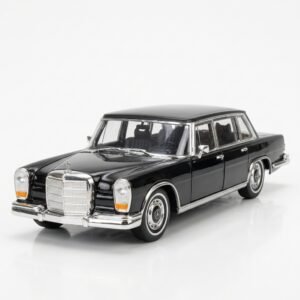 Welly Metal Car Mercedes Benz 600 Size 1.24 WL-24121W
2 × 12.900 OMR
-
×
 BBurago Metal Car Ferrari 499P Size 1.18
1 × 42.900 OMR
-
×
 Used Nokia 6124
1 × 24.500 OMR
-
×
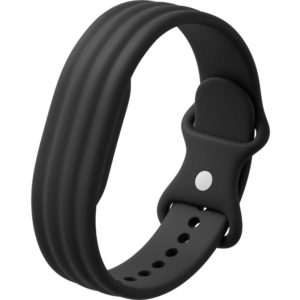 Google Fitbit Air Active Band Obsidian Silicon Strap
1 × 20.900 OMR
-
×
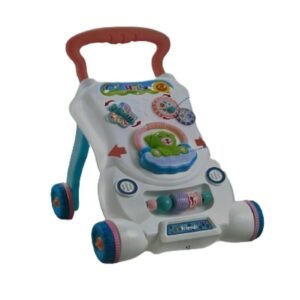 CPT HT-696-R15 BABY WALKER
1 × 7.800 OMR
-
×
 Yamaha Mg10x Cv Mixer
1 × 110.000 OMR
-
×
 OCULUS QUEST2 ELITE STRAP with BATTERY and CARRYING CASE
1 × 36.400 OMR
-
×
 Cle Usb Fridge
1 × 5.900 OMR
-
×
 Used Nokia 6234
1 × 44.000 OMR
-
×
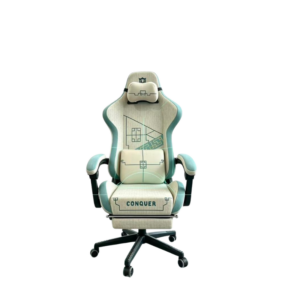 Cleo-GA Lxradeo Ergonomic Gaming Chair
1 × 49.900 OMR
-
×
 IMATION 1*50 CD
1 × 2.500 OMR
-
×
 BK-20 OUD OIL BUKHOOR BURNER
1 × 6.400 OMR
-
×
 Mijia Massage Gun 2C
1 × 16.800 OMR
-
×
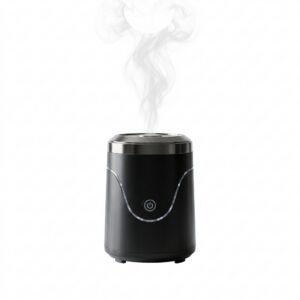 Cleo-EL Portable Electronic Bakhoor BQ-19
1 × 3.900 OMR
-
×
 WAHL 3615 Cordless Mobile shaver
1 × 9.800 OMR
-
×
 Dynacord Dc1 Um12e8 12w Ceiling Loudspeaker
1 × 24.000 OMR
-
×
 Kalimba 17 Keys Finger Piano
1 × 13.800 OMR
-
×
 Boya By Wm4 Pro K3 2.4ghz Wireless Microphone System
1 × 49.900 OMR
Subtotal: 527.400 OMR
 New Arrivals
 Offers
 Service & Repair




There are no reviews yet.