1. **Plug-In Charger**: Connect the SEOGYO 5 Port USB Charger to a power outlet using the provided power cord. Ensure the charger is securely plugged in and that the power source is active.
2. **Turn On Mushroom Light**: Locate the power switch or button for the Mushroom Light on the charger. Press the switch to turn on the Mushroom Light. This soft ambient light provides illumination and adds aesthetic appeal to your space.
3. **Connect Devices**: Use the USB ports on the charger to connect your electronic devices such as smartphones, tablets, cameras, or any other USB-powered devices. Insert the USB cables into the corresponding ports on the charger.
4. **Charging**: Once the devices are connected, the SEOGYO 5 Port USB Charger will automatically begin charging them. The charger intelligently distributes power to ensure efficient and safe charging for all connected devices.
5. **Monitoring**: Monitor the charging status of your devices. LED indicators on the charger may indicate when a device is charging or fully charged. Ensure all devices are properly connected and monitor them periodically to prevent overcharging.
Following these steps will help you effectively use the SEOGYO 5 Port USB Charger with Mushroom Light XLD888 to charge multiple devices simultaneously while enjoying the ambient illumination provided by the Mushroom Light.

 XBOX ONE TOM CLANCY'S THE DIVISON 2 GAME CD
1 × 12.800 OMR
XBOX ONE TOM CLANCY'S THE DIVISON 2 GAME CD
1 × 12.800 OMR  Insta 360 Action Camera Ace Pro Black
1 × 154.800 OMR
Insta 360 Action Camera Ace Pro Black
1 × 154.800 OMR  Cleo-EL Pocket Action Camera 4k 360 NGB 685
1 × 19.800 OMR
Cleo-EL Pocket Action Camera 4k 360 NGB 685
1 × 19.800 OMR  Boya Lavalier Microphone By M40d
1 × 20.000 OMR
Boya Lavalier Microphone By M40d
1 × 20.000 OMR  Cleo Plastic Recorder
1 × 0.700 OMR
Cleo Plastic Recorder
1 × 0.700 OMR 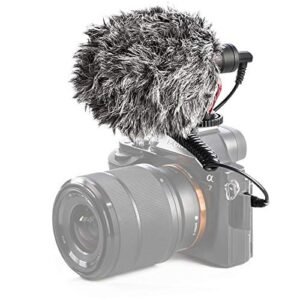 Candc DC C9 Cardioid Microphone
1 × 3.500 OMR
Candc DC C9 Cardioid Microphone
1 × 3.500 OMR  New Arrivals
 Offers
 Service & Repair


There are no reviews yet.