1. **Plug-In Charger**: Connect the SEOGYO 5 Port USB Charger to a power outlet using the provided power cord. Ensure the charger is securely plugged in and that the power source is active.
2. **Turn On Mushroom Light**: Locate the power switch or button for the Mushroom Light on the charger. Press the switch to turn on the Mushroom Light. This soft ambient light provides illumination and adds aesthetic appeal to your space.
3. **Connect Devices**: Use the USB ports on the charger to connect your electronic devices such as smartphones, tablets, cameras, or any other USB-powered devices. Insert the USB cables into the corresponding ports on the charger.
4. **Charging**: Once the devices are connected, the SEOGYO 5 Port USB Charger will automatically begin charging them. The charger intelligently distributes power to ensure efficient and safe charging for all connected devices.
5. **Monitoring**: Monitor the charging status of your devices. LED indicators on the charger may indicate when a device is charging or fully charged. Ensure all devices are properly connected and monitor them periodically to prevent overcharging.
Following these steps will help you effectively use the SEOGYO 5 Port USB Charger with Mushroom Light XLD888 to charge multiple devices simultaneously while enjoying the ambient illumination provided by the Mushroom Light.
Bm 13k Bee Melodica
Ahuja Utp30 Wired Tie Clip Mic
DOBE PS4 TP4 023B Charging STAND
Lavalier Microphone Lj02
Candc DC C9 Cardioid Microphone
Boya Wireless Microphone By Wm4 Pro
Sony PS4 Spider Man Game CD
OMNIKEY 3121 CARD READER
GameSir F5 Falcon Mini Mobile Gaming Controller
Cle Usb Fridge
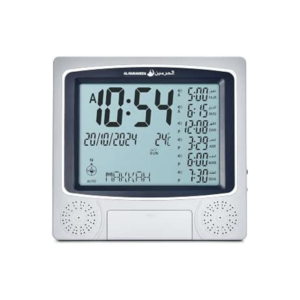
Al-Harameen Digital Azan Clock HA 4010
Nintendo Switch Oled 64GB Console White
Cleo-TY Mercedes Benz G65 Metal Car M923
Cleo-TY Kids Scooter HB 919-E1
BBurago Metal Car Ferrari 296 GTB Size 1.18 18-16018
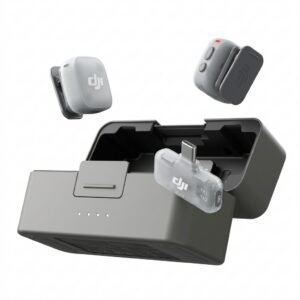
Dji Mini 2 Wireless Microphone DMMR02
New Arrivals
Offers
Service & Repair

There are no reviews yet.