
-
×
 BBurago Metal Car Ferrari 296 GTB Size 1.18 18-16018
2 × 42.900 OMR
-
×
 ONTEN USB to HDMI Adapter
1 × 8.900 OMR
-
×
 AL-HARAMEEN AZAN CLOCK HA-7041
1 × 21.900 OMR
-
×
 SONY PS4 Toukiden2 GAME CD
1 × 7.700 OMR
-
×
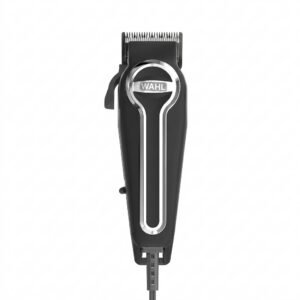 WAHL ELITE PRO HAIRCUTTING KIT
1 × 34.800 OMR
-
×
 OCULUS QUEST2 USB3 TYPE-C 5M LINK CABLE
1 × 45.000 OMR
-
×
 Amazfit Universal Magnetic Watch CHARGER
1 × 3.900 OMR
-
×
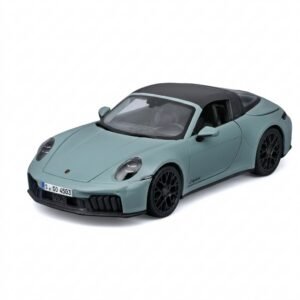 Maisto Metal Car Porsche 911 Targa 4 GTS Size 1.18 31470
4 × 42.885 OMR
-
×
 Google Fitbit Edge Fitness & Health Tracking Smart Band Green
1 × 86.900 OMR
-
×
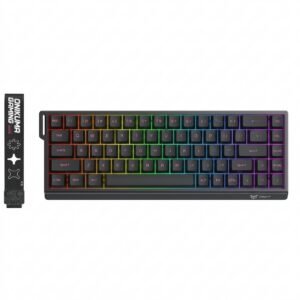 Onikuma Gaming Keyboard MT603
1 × 12.900 OMR
-
×
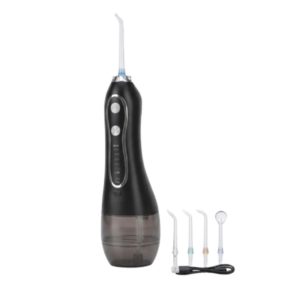 Blue Fire Hydrojet Portable Oral Irrigator BF-6
1 × 8.900 OMR
-
×
 Belkin F2CU012bt Mixit Cable Usb A to Micro 3mtr
1 × 1.900 OMR
-
×
 Hot Wheels Deutschland Design
2 × 4.900 OMR
-
×
 X BOX WIRELESS CONTROLLER ELECTRIC VOLT YELLOW
1 × 20.900 OMR
-
×
 DOBE PS4 TP4 016 Mobile Phone CLAMP
1 × 1.900 OMR
Subtotal: 522.740 OMR
 New Arrivals
 Offers
 Service & Repair



There are no reviews yet.