
-
×
 BBurago Metal Car Ferrari 296 GTB Size 1.18 18-16018
1 × 42.900 OMR
-
×
 BOROFONE BH 13 CAR HOLDER
1 × 2.900 OMR
-
×
 Dlc 3 In 1 Capsule Coffee Machine 7337
1 × 32.900 OMR
-
×
 ANKER NEBULA MARS 2PRO D2323211 PORTABLE PROJECTOR
1 × 199.800 OMR
-
×
 SONY PS4 CD DOOM
1 × 10.800 OMR
-
×
 BlueBerry's Electric Kettle Brew 2.3L
1 × 2.900 OMR
-
×
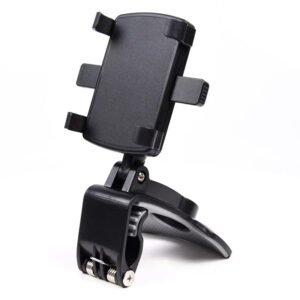 ADJUSTABLE CAR PHONE HOLDER
1 × 2.500 OMR
-
×
 PowerA Twin Charging Station For PS5 Controller
1 × 13.900 OMR
-
×
 Kalimba 17 Keys Finger Piano
1 × 13.800 OMR
-
×
 WAHL HOME PRO 300 SERIES HAIRCUT KIT
1 × 15.800 OMR
-
×
 Hot Wheels Deutschland Design
1 × 4.900 OMR
-
×
 Philips OneBlade 360 Shaver QP2734/23
1 × 22.900 OMR
-
×
 Belkin F2CU012bt Mixit Cable Usb A to Micro 3mtr
1 × 1.900 OMR
-
×
 Google Fitbit Edge Fitness & Health Tracking Smart Band Green
1 × 86.900 OMR
-
×
 Cle Usb Fridge
1 × 5.900 OMR
Subtotal: 460.700 OMR
 New Arrivals
 Offers
 Service & Repair



There are no reviews yet.