1. **Unboxing**: Open the packaging of the MAX TM66 Microphone. Inside, you’ll find the microphone unit, any accompanying accessories such as cables or microphone stands, and the user manual.
2. **Assembly (if needed)**: If the microphone requires assembly, follow the instructions provided in the user manual to assemble it properly. This may involve attaching the microphone to a microphone stand or connecting cables to the microphone and other audio equipment.
3. **Connecting to Audio Equipment**: Identify the type of audio equipment you’ll be using with the microphone, such as a mixer, amplifier, or audio interface. Connect one end of the microphone cable to the microphone and the other end to the appropriate input on your audio equipment.
4. **Powering On (if applicable)**: Some microphones require power to operate, especially condenser microphones. If your microphone requires power, ensure that it’s properly powered using batteries, phantom power from a mixer or audio interface, or an external power source as specified in the user manual.
5. **Adjusting Settings (if applicable)**: Depending on the microphone model, there may be settings or controls that you can adjust to optimize performance. This may include adjusting gain levels, polar patterns, or frequency response settings. Refer to the user manual for instructions on adjusting these settings.
6. **Testing**: Test the microphone to ensure that it’s working properly. Speak or sing into the microphone and monitor the audio output through your audio equipment. Adjust the microphone position, gain levels, or other settings as needed to achieve the desired sound quality.
7. **Performance**: Once the microphone is set up and tested, you’re ready to use it for your recording, performance, or presentation. Speak or sing into the microphone with confidence, knowing that it’s capturing your voice accurately and clearly.
8. **Monitoring**: Throughout your use of the microphone, monitor the audio levels and quality to ensure optimal performance. Make any necessary adjustments to the microphone or audio equipment to address any issues that may arise.
9. **Powering Off**: When you’re finished using the microphone, power it off and disconnect it from your audio equipment. Store the microphone and any accompanying accessories in a safe place to protect them from damage.
By following these steps, you can effectively set up and use the MAX TM66 Microphone for a variety of audio recording or performance applications.

 Boya By Wm8 Pro K2 Uhf Dual Channel Wireless Microphone
2 × 76.800 OMR
Boya By Wm8 Pro K2 Uhf Dual Channel Wireless Microphone
2 × 76.800 OMR  Earldom OT43 Lightning to OTG Plus Charging Adapter
1 × 2.450 OMR
Earldom OT43 Lightning to OTG Plus Charging Adapter
1 × 2.450 OMR  Shokz Earbuds T920-STBK Open Fit 2 Black
1 × 59.900 OMR
Shokz Earbuds T920-STBK Open Fit 2 Black
1 × 59.900 OMR  Used NOKIA 7370
1 × 25.000 OMR
Used NOKIA 7370
1 × 25.000 OMR  Biba Flute Deluxe
1 × 6.500 OMR
Biba Flute Deluxe
1 × 6.500 OMR 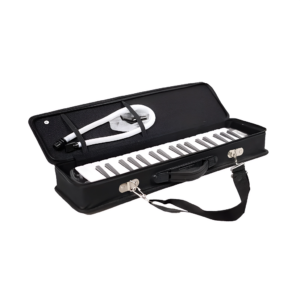 Tovaste Jb 37a keys Harmonica
1 × 15.000 OMR
Tovaste Jb 37a keys Harmonica
1 × 15.000 OMR 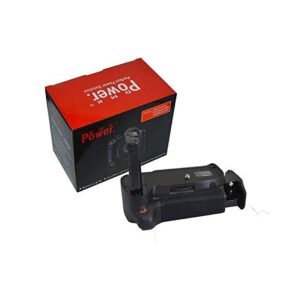 DMK Battery Grip
1 × 11.400 OMR
DMK Battery Grip
1 × 11.400 OMR  Xiaomi Portable Photo Printer 1S
1 × 23.800 OMR
Xiaomi Portable Photo Printer 1S
1 × 23.800 OMR  Max Bms 135 Boom Mic Stand
1 × 9.500 OMR
Max Bms 135 Boom Mic Stand
1 × 9.500 OMR  Used Nokia 5310 Express Music
1 × 25.800 OMR
Used Nokia 5310 Express Music
1 × 25.800 OMR  Boya Wireless Microphone By Wm4 Pro
1 × 47.900 OMR
Boya Wireless Microphone By Wm4 Pro
1 × 47.900 OMR  New Arrivals
 Offers
 Service & Repair


There are no reviews yet.