
-
×
 DOBE PS4 TP4 023B Charging STAND
1 × 6.900 OMR
-
×
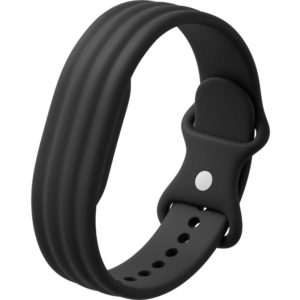 Google Fitbit Air Active Band Obsidian Silicon Strap
1 × 20.900 OMR
-
×
 Cle Usb Fridge
1 × 5.900 OMR
-
×
 Tovaste Y096 Lectern in Black With Usb+Sd
1 × 119.000 OMR
-
×
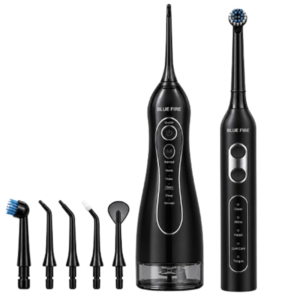 Blue Fire Hydroclean Oral Irrigator And Toothbrush BF-10
1 × 12.900 OMR
-
×
 Used NOKIA E90
1 × 120.000 OMR
-
×
 Lavalier Microphone Lj02
1 × 1.800 OMR
-
×
 SONY PS4 Rock of Ages 3 Game CD
1 × 13.800 OMR
-
×
 Sony PS5 The Pathless Game CD
1 × 15.800 OMR
-
×
 Boya By Wm4 Pro K3 2.4ghz Wireless Microphone System
1 × 49.900 OMR
-
×
 SONY PS4 NIOH 2 GAME CD
1 × 9.900 OMR
-
×
 WAHL HERO PROFESSIONAL TRIMMER 8991
1 × 32.800 OMR
-
×
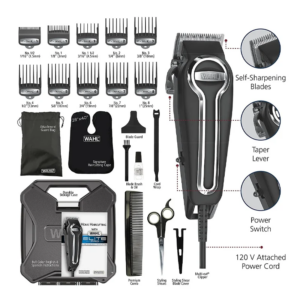 WAHL ELITE PRO HAIRCUTTING KIT
1 × 34.800 OMR
-
×
 PAKITE PAT 590 WIRELESS HD EXTENDER
1 × 23.900 OMR
-
×
 ARABIC AND ENGLISH LEARNING PAD
1 × 7.800 OMR
-
×
 Apple Ipad Pro 12.9" 4th Gen Smart Keyboard Folio
1 × 94.900 OMR
Subtotal: 571.000 OMR
 New Arrivals
 Offers
 Service & Repair


There are no reviews yet.