
-
×
 Atouch Led Mini Game Box Keychain
1 × 0.400 OMR
-
×
 ENGENIUS EDS 1130 Smart Camera
1 × 22.400 OMR
-
×
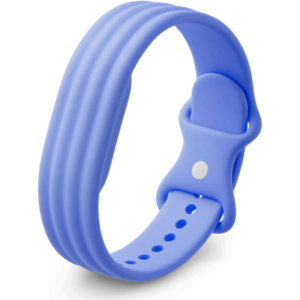 Google Fitbit Air Active Band Lavender Silicon Strap
1 × 20.900 OMR
-
×
 Tovaste Mol10 10m (Xlr+Xlr) Mic Cable
1 × 9.500 OMR
-
×
 Sunglass Lacose L185S 001 140
1 × 65.000 OMR
-
×
 Bm 13k Bee Melodica
1 × 5.900 OMR
-
×
 DOBE PS4 TP4 016 Mobile Phone CLAMP
1 × 1.900 OMR
-
×
 Cle Usb Fridge
1 × 5.900 OMR
-
×
 Boya By Wm4 Pro K3 2.4ghz Wireless Microphone System
1 × 49.900 OMR
-
×
 Toa Pe154en Speaker
1 × 39.000 OMR
-
×
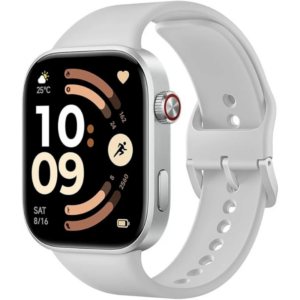 Redmi M2523 Smart Watch 6 Silver Gray
1 × 34.900 OMR
-
×
 Boya Larger Diaphragm Condenser Microphone By M1000
1 × 38.800 OMR
-
×
 Sunglass Hugo hg 0133s 003pr 140
1 × 65.000 OMR
-
×
 Kalimba 17 Keys Finger Piano
1 × 13.800 OMR
-
×
 OMNIKEY 3121 CARD READER
1 × 7.900 OMR
-
×
 Sony PS5 The Pathless Game CD
1 × 15.800 OMR
-
×
 Biba Flute Deluxe
1 × 6.500 OMR
-
×
 Boya Wireless Microphone By Wm4 Pro
1 × 47.900 OMR
-
×
 USAMS Iphone 11 Pro Metal Camera Lens Glass Film
1 × 1.900 OMR
Subtotal: 453.300 OMR
 New Arrivals
 Offers
 Service & Repair


There are no reviews yet.