
-
×
 SONY PS4 Rocket Arena Game CD
1 × 16.800 OMR
-
×
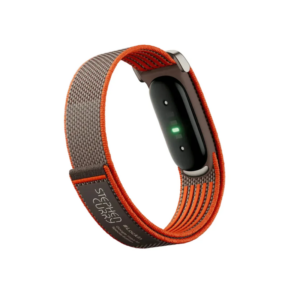 Google Fitbit Air Screen less Fitness & Health Tracking Stephen Curry Edition
1 × 61.900 OMR
-
×
 Boya Lavalier Microphone By M40d
2 × 20.000 OMR
-
×
 Bosch Lb2 Uc15 l1 15W White Speaker
1 × 25.000 OMR
-
×
 SONY PS4 Final Fantasy XII GAME CD
1 × 8.800 OMR
-
×
 Boya By Wm4 Pro K3 2.4ghz Wireless Microphone System
1 × 49.900 OMR
-
×
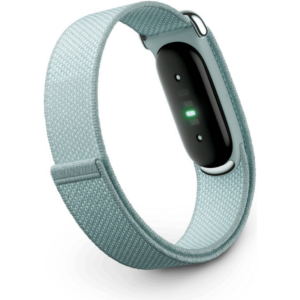 Google Fitbit Air Screen less Fitness & Health Tracking Band Fog
1 × 51.900 OMR
-
×
 DOBE PS4 TP4 023B Charging STAND
1 × 6.900 OMR
-
×
 Philips OneBlade 360 Shaver QP2734/23
1 × 22.900 OMR
-
×
 G3 Pro Handsfree Infrared Thermometer
1 × 5.400 OMR
-
×
 Sony PS4 Dungeons & Dragons Dark Alliance-Day One Edition Game CD
1 × 9.900 OMR
-
×
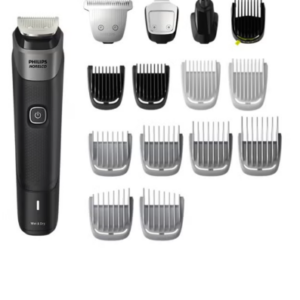 Philips 5000 Series Norelco All In One Trimmer MG5910/49
1 × 24.900 OMR
-
×
 Telionix Electric Air Fryer 9L TAF4424
1 × 34.900 OMR
-
×
 SANDISK ULTRA 32GB DUAL USB C- Type Flash Drive
1 × 2.900 OMR
-
×
 OTVO P4 USB DATA CABLE (For P4 Host & Handle)
1 × 1.900 OMR
Subtotal: 364.000 OMR
 New Arrivals
 Offers
 Service & Repair



There are no reviews yet.