
 New Arrivals
 Offers
 Service & Repair


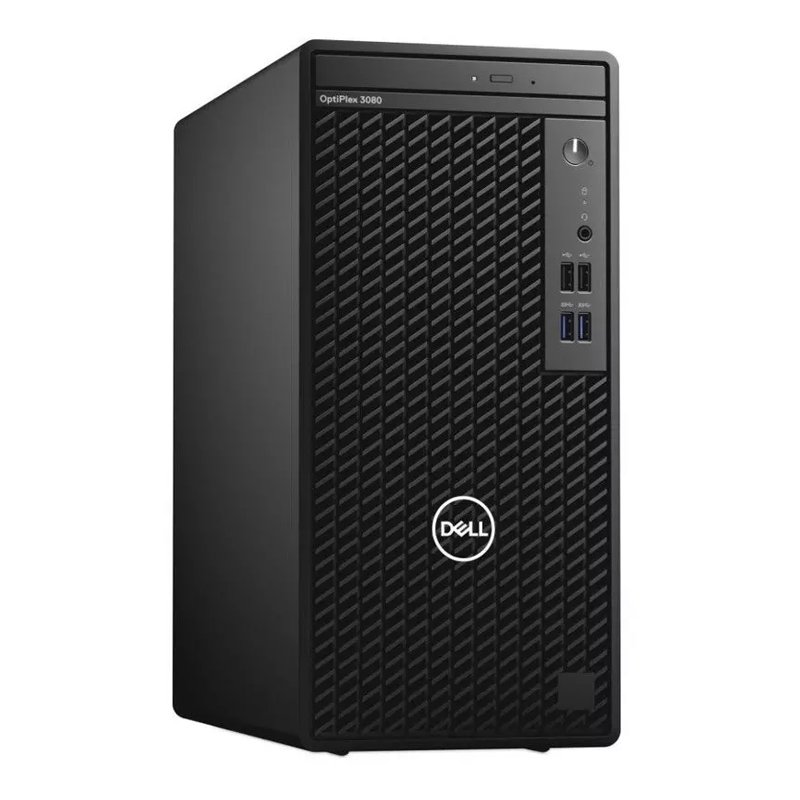
Dell 3080 MT Desktop
SKU: Dell 3080 MT Desktop
Out of stock
Processor : Intel Core i5-10500 (12M Cache, up to 4.50 GHz)
Memory : 8GB (1x8GB) 2666MHz DDR4
Operating system : Windows 10 Pro (64bit) Multi-Language English, Hungarian, Polish, Slovak
Disk capacity : 1TB SATA (7.2k rpm) 3.5 “
Graphics card : Intel UHD 630
Drive : 8x DVD RW
Power supply : 260 W
Color : Black
Equipment and accessories
Keyboard : Dell Multimedia Keyboard KB216
Mouse : Dell Optical Mouse MS116
Out of stock
1. **Unboxing and Setup**: Carefully unbox your Dell 3080 MT Desktop and remove all packaging materials. Place the desktop on a stable and well-ventilated surface. Connect the power cable to the desktop and then plug it into a power outlet. Connect any necessary peripherals such as a monitor, keyboard, and mouse to the appropriate ports.
2. **Powering On**: Press the power button located on the front or top panel of the Dell 3080 MT Desktop to turn it on. Wait for the system to boot up, which may take a few moments. Once the desktop has fully powered on, you will see the Dell logo followed by the operating system loading.
3. **Initial Setup**: Follow the on-screen instructions to complete the initial setup of the desktop. This typically involves selecting your preferred language, region, and keyboard layout. You may also be prompted to create or sign in with a user account, depending on whether the desktop comes pre-installed with an operating system or not.
4. **Exploring Features**: Take some time to explore the features and capabilities of the Dell 3080 MT Desktop. Familiarize yourself with the ports and connectors available on the front and back panels. You can also navigate through the operating system to access installed applications, settings, and other functionalities.
5. **Customization and Optimization**: Customize the desktop according to your preferences and needs. This may include adjusting display settings, installing additional software, setting up user accounts, and configuring security options. Consider optimizing the performance of the desktop by installing updates, managing storage space, and implementing security measures such as antivirus software.

There are no reviews yet.