
-
×
 OMNIKEY 3121 CARD READER
1 × 7.900 OMR
-
×
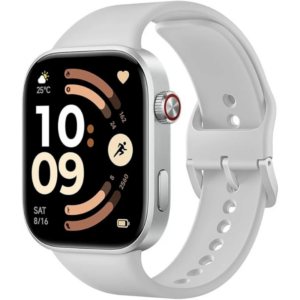 Redmi M2523 Smart Watch 6 Silver Gray
1 × 34.900 OMR
-
×
 Sony PS5 The Pathless Game CD
1 × 15.800 OMR
-
×
 Tolaye Ks06 Keyboard Stand
1 × 14.000 OMR
-
×
 Kalimba 17 Keys Finger Piano
2 × 13.800 OMR
-
×
 Used Nokia 6800
1 × 33.500 OMR
-
×
 Lavalier Microphone Lj02
1 × 1.800 OMR
-
×
 USAMS Iphone 11 Pro Metal Camera Lens Glass Film
1 × 1.900 OMR
-
×
 CLE ALAIN RAHMANI RAHMANI 12" x 18"depth
1 × 32.000 OMR
-
×
 4 In 1 Mobile Game Combo Pack
1 × 8.900 OMR
-
×
 SHARP EC-CA1820 1800W 20L VACCUM CLEANER
1 × 32.800 OMR
-
×
 AMAZON SUNGLASSES
1 × 35.000 OMR
-
×
 L-1 Professional Streaming Player Stand
1 × 13.900 OMR
-
×
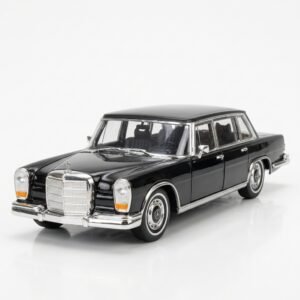 Welly Metal Car Mercedes Benz 600 Size 1.24 WL-24121W
1 × 12.900 OMR
-
×
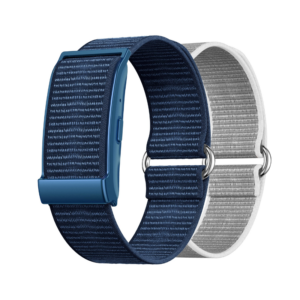 Cleo-MA Smart Bracelet X6 NGB
1 × 5.900 OMR
-
×
 Bm 13k Bee Melodica
1 × 5.900 OMR
-
×
 Dobe Keyboard Tp4 822
1 × 2.400 OMR
-
×
 Jsyes Smart Watch M75 Max With 6 Straps
1 × 2.500 OMR
-
×
 Tovaste Jb8a25b Flute Recorder Wooden
1 × 7.900 OMR
-
×
 Sony Ps 5 Crazy Chicken Shooter Edition CD
1 × 11.900 OMR
-
×
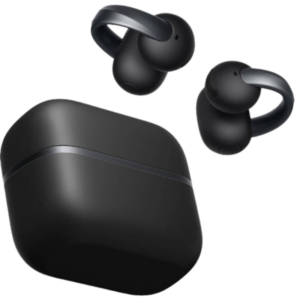 Anker D1105 Earbuds Aero Clip-2 Soundcore Black
1 × 59.900 OMR
-
×
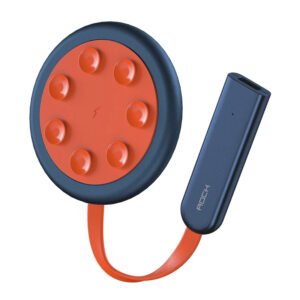 ROCK W24 Double side Quick CHARGER
1 × 5.200 OMR
Subtotal: 374.500 OMR
 New Arrivals
 Offers
 Service & Repair


There are no reviews yet.