
-
×
 Cleo-TY Kids Drawing Painting Table HT6886
1 × 2.900 OMR
-
×
 Used Nokia E61i
1 × 40.000 OMR
-
×
 Boya Larger Diaphragm Condenser Microphone By M1000
1 × 38.800 OMR
-
×
 Behringer Sl 4240 Wall Mounted Speaker
1 × 85.000 OMR
-
×
 DOBE PS4 TP4 023B Charging STAND
1 × 6.900 OMR
-
×
 Hoco M80 Type C Head Phone
1 × 1.250 OMR
-
×
 Candc DC C9 Cardioid Microphone
1 × 3.500 OMR
-
×
 JBL TUNE 110 HEAD PHONE
1 × 2.500 OMR
-
×
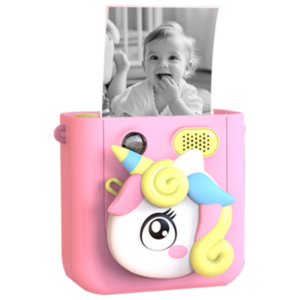 Cleo-EL Kids Print Camera WK01
1 × 13.900 OMR
-
×
 Boya Wireless Microphone By Wm4 Pro
1 × 47.900 OMR
-
×
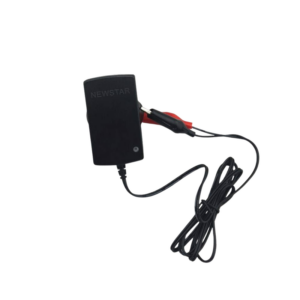 NEWSTAR 35-N60100 6V 1AMP AUTO BATTERY CHARGER
1 × 5.900 OMR
-
×
 BBurago Metal Car Ferrari 499P Size 1.18
1 × 42.900 OMR
-
×
 GameSir F5 Falcon Mini Mobile Gaming Controller
1 × 3.900 OMR
-
×
 OTVO P4 USB DATA CABLE (For P4 Host & Handle)
1 × 1.900 OMR
Subtotal: 297.250 OMR
 New Arrivals
 Offers
 Service & Repair


There are no reviews yet.