
 New Arrivals
 Offers
 Service & Repair

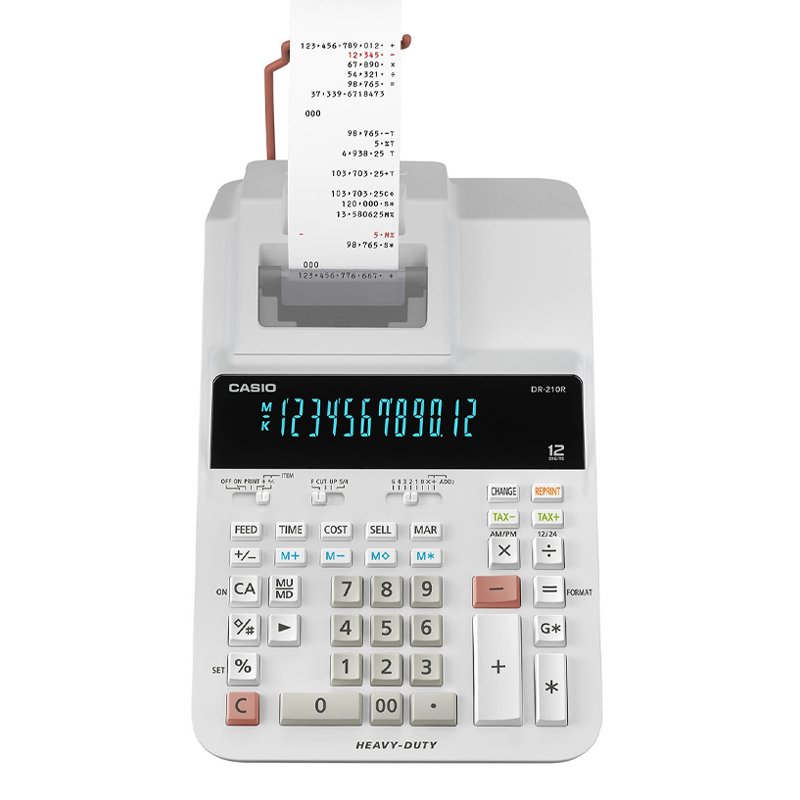
CASIO DR 210R WE HEAVY DUTY 12 DIGITS PRINTER CALCULATOR
SKU: CASIO DR 210R WE HEAVY DUTY 12 DIGITS
Out of stock
COST / SELL / MARGIN CALCULATIONS CALCULOS DE COSTO VENTA Y MARGEN . CLOCK / CALENDAR FUNCTION YOU CAN PRESS TIME KEY TO DISPLAY CURRENT TIME & DATE 4- KEY INDEPENDENT MEMORY . MARK UP / MARK DOWN . RIGHT SHIFT KEY . CHANGE FUNCTION FOR SIMPLE CALCULATIONS OF PAYMENT & CHANGE . REPRINT FUNCTION PRINT MULTIPLE COPIES OF THE CALCULATION HISTORY WITHOUT RE-INPUTTING DATA . TAX CALCULATIONS . TOTAL & GRAND TOTAL CALCULATION
Out of stock
1. **Power On/Off**: Locate the power switch or button on the calculator and press it to turn on the device. To power off the calculator, press the power switch again.
2. **Numeric Entry and Calculation**: Use the keypad to enter numbers and perform calculations. The calculator supports basic arithmetic operations such as addition (+), subtraction (-), multiplication (×), and division (÷). Enter the numbers followed by the desired operation, then press the “=” button to display the result on the screen.
3. **Paper Roll Installation**: Open the paper compartment of the calculator and insert a roll of paper. Ensure that the paper roll is properly aligned and positioned for smooth operation. Close the paper compartment securely once the paper is loaded.
4. **Printing Functions**: Utilize the printing function to print out calculation results. After performing a calculation, press the “PRINT” button to print the result on the paper roll. The calculator may also have additional printing options such as date/time printing and decimal point settings, which can be adjusted according to your preferences.
5. **Maintenance**: Regularly check the paper roll to ensure that it is not running low. Replace the paper roll when necessary to avoid interruptions during calculations. Additionally, clean the calculator and keypad as needed to keep it free from dust and debris, ensuring optimal performance.
By following these steps, you can effectively use the Casio DR-210R WE Heavy Duty 12-Digit Printer Calculator for a variety of mathematical calculations and printing tasks.

There are no reviews yet.