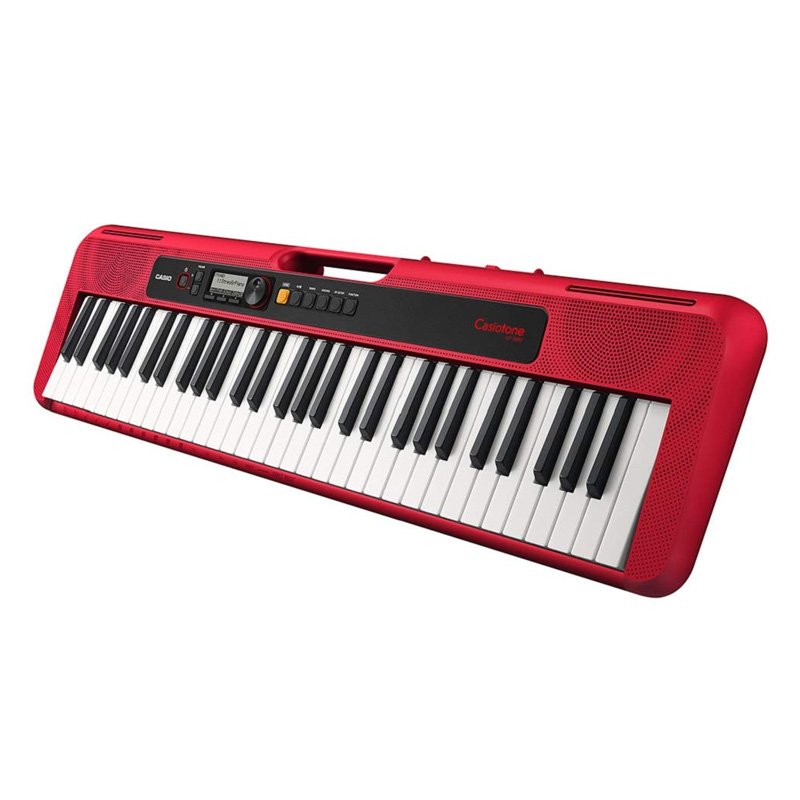
1. **Powering On**: Locate the power switch on the keyboard, typically located on the rear panel or near the power adapter input. Flip the switch to the “On” position to power on the keyboard.
2. **Selecting a Sound**: Use the “Tone” button or the selector knob to choose a sound. The Casio CT-S200 offers a variety of instrument sounds such as piano, organ, strings, and more. Scroll through the available tones until you find the one you want to use.
3. **Adjusting Volume**: Use the “Volume” knob to adjust the overall volume level of the keyboard. Start with a low volume setting and gradually increase it to a comfortable level.
4. **Playing Rhythms**: Explore the built-in rhythms by pressing the “Rhythm” button or selector knob. The Casio CT-S200 offers a range of accompaniment styles such as pop, rock, jazz, and more. Select a rhythm and adjust the tempo using the tempo buttons or knob.
5. **Playing Songs**: The Casio CT-S200 comes with built-in songs that you can play along with. Press the “Song Bank” button or selector knob to access the song bank. Use the buttons or knob to select a song, then press “Start/Stop” to begin playback. You can play along with the song using the keyboard’s keys.
Boya By Wm4 Pro K3 2.4ghz Wireless Microphone System
Used Nokia X3 02 Touch
Cleo-GA Wireless Controller Game GS5 Pro
Cpt Guitar 3713c
Green Multi Functional Rollable Wireless Keyboard R4
Cleo-MA Smart Bracelet X6 NGB
Lavalier Microphone Lj02
Used Nokia 6500C (Only Mobile)
Sony Ps 5 Controller Marvel Wolverine Limited Edition
Boya By Wm8 Pro K2 Uhf Dual Channel Wireless Microphone
New Arrivals
Offers
Service & Repair


There are no reviews yet.