
-
×
 Boya Larger Diaphragm Condenser Microphone By M1000
1 × 38.800 OMR
-
×
 Bm 13k Bee Melodica
1 × 5.900 OMR
-
×
 ONTEN USB C to HDMI CABLE
1 × 8.900 OMR
-
×
 iPhone SE 2020 - 128 GB - White
1 × 185.000 OMR
-
×
 SONY PS4 Rocket Arena Game CD
1 × 16.800 OMR
-
×
 Boya Wireless Microphone By Wm4 Pro
1 × 47.900 OMR
-
×
 Boya By Wm4 Pro K3 2.4ghz Wireless Microphone System
1 × 49.900 OMR
-
×
 Cpt Guitar 3713c
1 × 3.800 OMR
-
×
 OMNIKEY 3121 CARD READER
1 × 7.900 OMR
-
×
 Mackie Dlm12 12"Inch 2000w Powered Loudspeaker
1 × 390.000 OMR
-
×
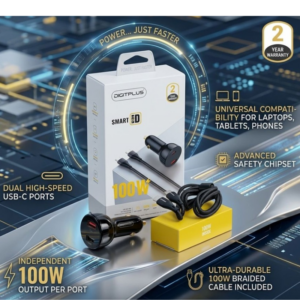 DigitPlus Car Charger 100w CC-DP-C101
1 × 8.900 OMR
-
×
 DOBE PS4 TP4 023B Charging STAND
1 × 6.900 OMR
-
×
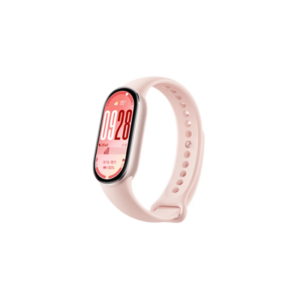 Xiaomi M2459B1 Smart Band 10 Mystic Rose
1 × 14.900 OMR
-
×
 USB 3.0 GAME CAPTURE LIVE STREAMING EZCAP287P
1 × 16.900 OMR
-
×
 Ahuja Aud101 Xlr Microphone
1 × 25.000 OMR
-
×
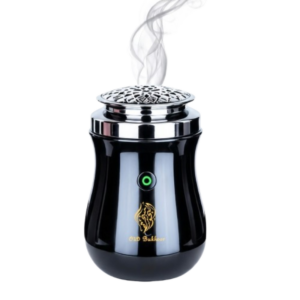 Cleo-EL Portable Electronic Bakhoor BK-52
1 × 4.900 OMR
-
×
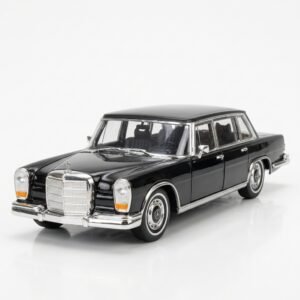 Welly Metal Car Mercedes Benz 600 Size 1.24 WL-24121W
1 × 12.900 OMR
-
×
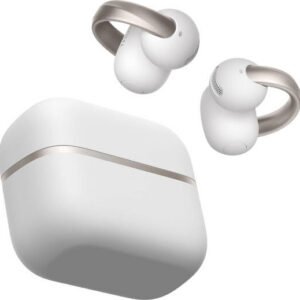 Anker D1105 Earbuds Aero Clip-2 Soundcore White
1 × 59.900 OMR
-
×
 Ahuja Utp30 Wired Tie Clip Mic
1 × 10.000 OMR
Subtotal: 915.200 OMR
 New Arrivals
 Offers
 Service & Repair



There are no reviews yet.