1. **Power Off the Printer**: Start by turning off the printer and allowing it to cool down if it has been in use recently. Wait for the printer to completely power down before proceeding to the next steps.
2. **Open the Printer Cover**: Locate the printer cover or front panel of your Canon LBP6000/6030 or MF3010 printer. Depending on the model, there might be a button or latch to release the cover. Lift or open the cover to access the cartridge compartment.
3. **Remove the Old Cartridge**: Once the cover is open, you should see the toner cartridge inside the printer. Carefully grasp the handle or tab of the old cartridge and gently pull it towards you to remove it from the printer. Be cautious not to touch the drum or any sensitive parts of the cartridge.
4. **Prepare the New Cartridge**: Unbox the new Canon Cartridge 725 and remove any packaging materials or protective tapes. Hold the cartridge by its handle or sides, and gently shake it from side to side to evenly distribute the toner inside.
5. **Install the New Cartridge**: Align the new cartridge with the cartridge slot inside the printer, making sure it fits securely into place. Push the cartridge firmly until it clicks or locks into position. Close the printer cover securely.
6. **Power On the Printer**: Turn on the printer and wait for it to initialize. The printer may take a moment to recognize the new cartridge and prepare for printing.
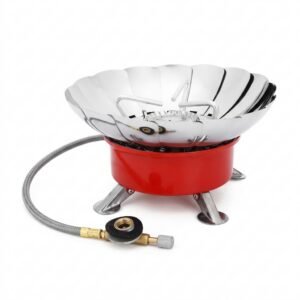
Cleo-EL Portable Camping Gas Stove ZB-16
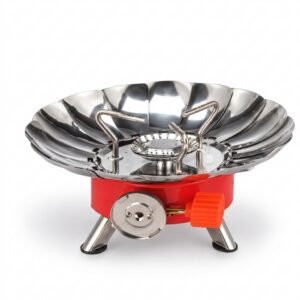
Cleo-EL Portable Windproof Camping Gas Stove K-203L
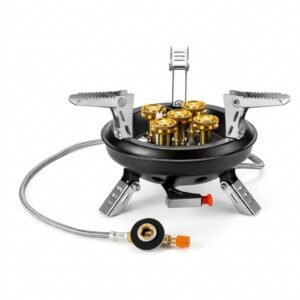
Cleo-EL Portable Windproof Camping Gas Stove K-203
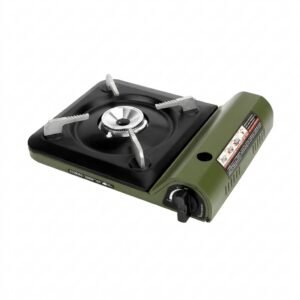
Cleo-EL Portable Outdoor Camping Gas Stove 201A
Cleo-TY Metal Car Tesla Semi Truck Head Size 1.24
Cleo-TY Baby Tricycle HT 4633
Cleo-TY Remote Control Car HT 2155
Cleo-TY Metal Car NIO ES8 Size 1.24
OMNIKEY 3121 CARD READER
Cleo-TY Kitchen Set HT 922-123
BK-20 OUD OIL BUKHOOR BURNER
Jbl JR 310 Wired Headset
Townew Smart Trashbin
L-1 Professional Streaming Player Stand
XLF SPORTS CAR RADIO CONTROL TOYS
Cleo-TY Metal Car Lamborghini Essenza SCV12 Size 1.24
Canon GI-490 Yellow
New Arrivals
Offers
Service & Repair


There are no reviews yet.