
-
×
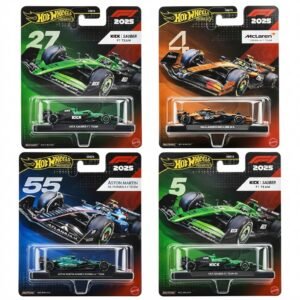 Hot Wheels Formula 1
4 × 7.900 OMR
-
×
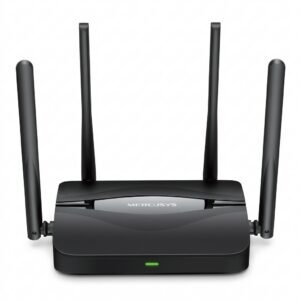 Mercusys BE3600 Dual Band Wi-Fi 7 Router MR25BE
2 × 19.900 OMR
-
×
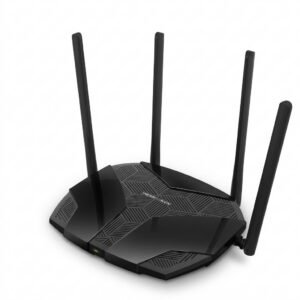 Mercusys AX3000 Dual-Band Wi-Fi 6 Router MR80X
1 × 15.900 OMR
-
×
 Maisto Metal Car Porsche 911 GT3 Size 1.18 36458
1 × 42.885 OMR
-
×
 ROCK W24 Double side Quick CHARGER
1 × 5.200 OMR
-
×
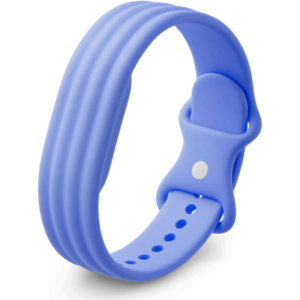 Google Fitbit Air Active Band Lavender Silicon Strap
1 × 20.900 OMR
-
×
 GO-DES GD HD609 CAR MAGNETIC HOLDER
1 × 1.900 OMR
-
×
 Sony PS5 The Pathless Game CD
1 × 15.800 OMR
-
×
 DOBE PS4 TP4 023B Charging STAND
1 × 6.900 OMR
-
×
 Nintendo Switch Oled 64GB Console White
1 × 120.900 OMR
-
×
 GameSir F5 Falcon Mini Mobile Gaming Controller
1 × 3.900 OMR
-
×
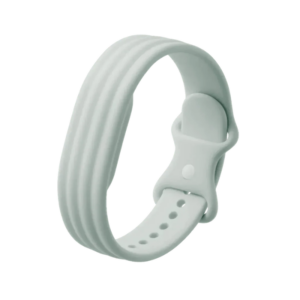 Google Fitbit Air Active Band Fog Silicon Strap
1 × 20.900 OMR
-
×
 Saachi Rechargeable Luqaimat And Donut Maker NLSB 4040B
1 × 14.800 OMR
-
×
 ENGENIUS EDS 1130 Smart Camera
1 × 22.400 OMR
-
×
 USAMS Iphone 11 Pro Metal Camera Lens Glass Film
1 × 1.900 OMR
Subtotal: 365.685 OMR
 New Arrivals
 Offers
 Service & Repair



There are no reviews yet.