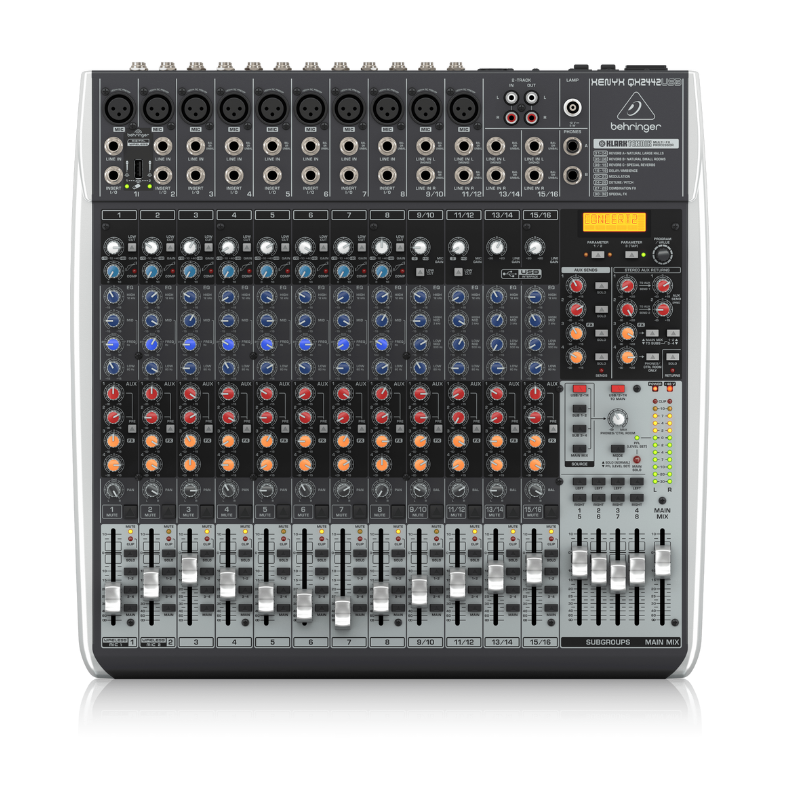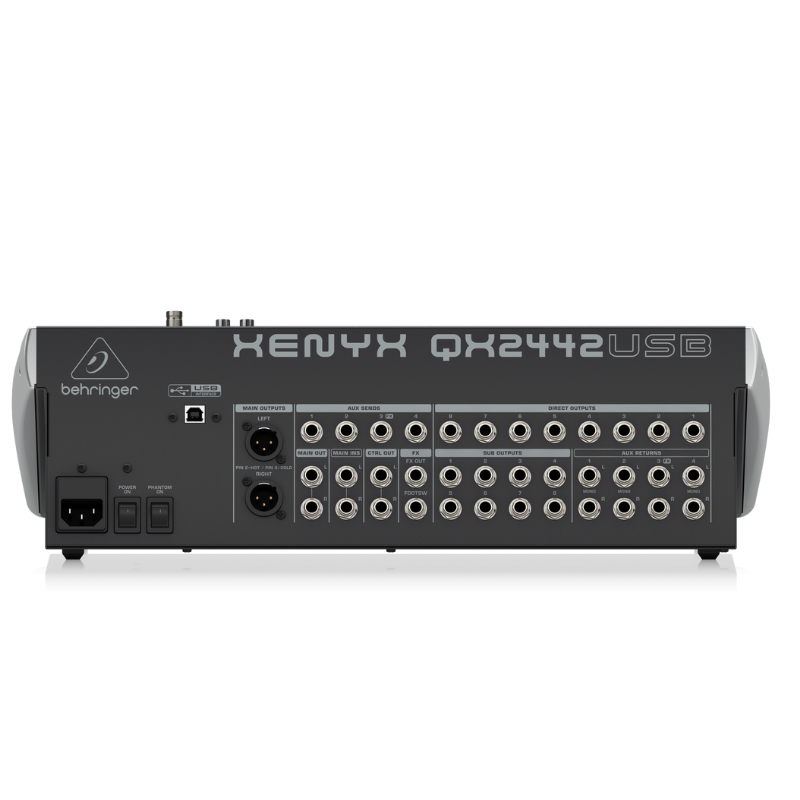
1. **Connecting Inputs**: Begin by connecting your microphones and other audio sources to the mixer’s input channels. The QX2442 has 10 XLR microphone inputs and 4 stereo line inputs, offering flexibility for various audio sources.
2. **Adjusting Levels**: Set the input levels using the gain controls located next to each input channel. Adjust these carefully to ensure optimal signal without clipping or distortion, indicated by the LED meters on each channel.
3. **Mixing and Effects**: Use the channel faders to adjust the volume of each input channel in your mix. The QX2442 includes built-in digital effects such as reverb, delay, chorus, and more. Use the FX send controls to add effects to individual channels or the entire mix.
4. **Monitoring**: Connect headphones to the headphone jack on the mixer for monitoring purposes. Use the headphone level control to adjust the volume to a comfortable level.
5. **Output and Recording**: Connect your main speakers or amplifier to the main outputs of the mixer. If you want to record your mix, use the USB connection to connect the mixer to your computer. Adjust the main output level to achieve the desired sound level in your venue or recording.
Sony Ps 5 Spider Man Miles Morales CD
USAMS Iphone 11 Pro Metal Camera Lens Glass Film
ANKER NEBULA MARS 2PRO D2323211 PORTABLE PROJECTOR
Magic Bullet Mini Food Processor And Blender MB4-1012 400W
Cleo-MA Smart Bracelet X6 NGB
Bm 13k Bee Melodica
CPT 73228 1-24 Chevy Belair Black
SONY PS4 Final Fantasy XII GAME CD
WAHL 3615 Cordless Mobile shaver
Kalimba 17 Keys Finger Piano
New Arrivals
Offers
Service & Repair


There are no reviews yet.