
 New Arrivals
 Offers
 Service & Repair


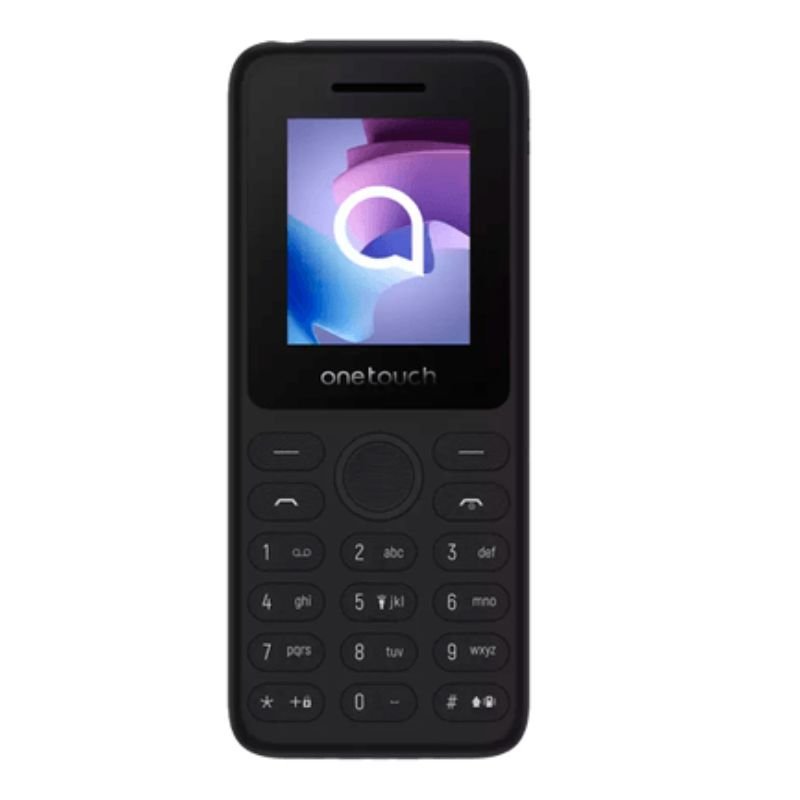
ALCATEL TCL ONE TOUCH 4041 4G
SKU: ALCATEL TCL ONE TOUCH 4041 4G
Out of stock
The ALCATEL TCL ONE TOUCH 4041 4G is a compact and affordable smartphone offering reliable 4G connectivity. With its sleek design and intuitive interface, it provides users with essential features such as calling, messaging, web browsing, and access to various apps through the Android operating system. Its 4G capability ensures fast internet speeds, enabling smooth streaming and browsing experiences. Additionally, its compact size makes it convenient for on-the-go use, fitting comfortably in pockets or bags.
Out of stock
1. **Power On**: Press and hold the power button located on the side or top of the ALCATEL TCL ONE TOUCH 4041 4G until the screen lights up and the device vibrates or displays the manufacturer’s logo.
2. **Unlock Screen**: Swipe or enter your PIN, pattern, or password on the screen to unlock the device and access the home screen.
3. **Navigate Home Screen**: Once unlocked, you’ll be on the home screen. Here, you can view your installed apps, widgets, and shortcuts. Swipe left or right to navigate between different home screens.
4. **Access Apps and Features**: Tap on the desired app icon to launch it. You can find additional apps by swiping up from the bottom of the screen to open the app drawer. From here, you can search for apps or browse through different categories.
5. **Connectivity and Settings**: Swipe down from the top of the screen to access the quick settings menu, where you can toggle Wi-Fi, Bluetooth, airplane mode, and other settings. Tap on the gear icon to access the full settings menu, where you can adjust various device settings, including network connections, display, sound, and more.

There are no reviews yet.