
-
×
 Sandisk Flash Drive i-xpand Dual Luxe 64GB Type-C to Lightning
5 × 11.500 OMR
-
×
 Belkin F2CU012bt Mixit Cable Usb A to Micro 3mtr
2 × 1.900 OMR
-
×
 Google Fitbit Edge Fitness & Health Tracking Smart Band Green
2 × 86.900 OMR
-
×
 Google Fitbit Edge Fitness & Health Tracking Smart Band Black
2 × 86.900 OMR
-
×
 Boya By Wm4 Pro K3 2.4ghz Wireless Microphone System
1 × 49.900 OMR
-
×
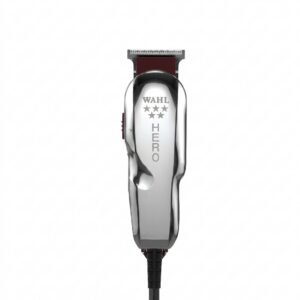 WAHL HERO PROFESSIONAL TRIMMER 8991
1 × 32.800 OMR
-
×
 SONY PS4 Rocket Arena Game CD
1 × 16.800 OMR
-
×
 XBOX ONE TOM CLANCY'S THE DIVISON 2 GAME CD
1 × 12.800 OMR
-
×
 Yesido Car Holder C29 Rear Seat
1 × 1.950 OMR
-
×
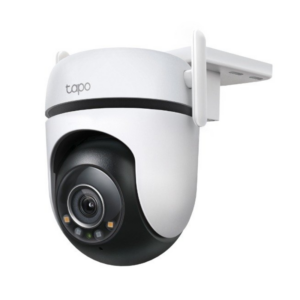 Tapo Outdoor Security Wi Fi Camera C520WS 2K QHD
1 × 14.900 OMR
-
×
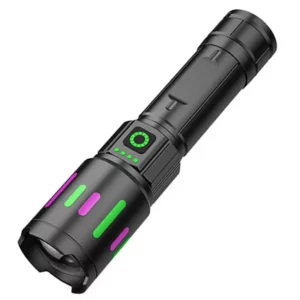 Denx Rechargeable LED Flashlight DX2342
1 × 3.900 OMR
-
×
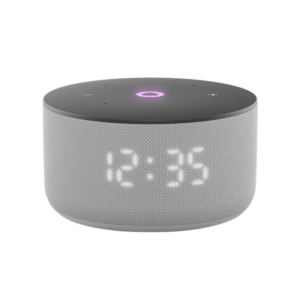 Yasmina Mini Smart Portable Bluetooth Speaker Grey
1 × 24.900 OMR
-
×
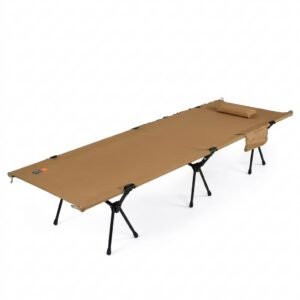 Cleo-SFO 2 In 1 Folding Camping Bed
1 × 24.900 OMR
-
×
 Bbt Hair Clipper Rfcd 9008
1 × 5.900 OMR
-
×
 Samsung Galaxy Z Fold 8 Ultra Silicone Magnet Case Graphite
1 × 18.900 OMR
-
×
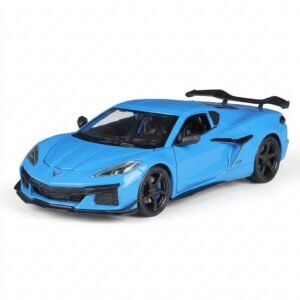 Welly Metal Car Chevrolet Corvette Z06 Size 1.24 WL-24120W
1 × 13.500 OMR
-
×
 Yesido Phone Holder C211 Magnetic
1 × 0.700 OMR
-
×
 Used NOKIA E90
1 × 120.000 OMR
Subtotal: 750.750 OMR
 New Arrivals
 Offers
 Service & Repair


There are no reviews yet.