
-
×
 BOYA BY WM4 PRO K3 2.4GHz WIRELESS MICROPHONE SYSTEM
1 × 49.900 OMR
BOYA BY WM4 PRO K3 2.4GHz WIRELESS MICROPHONE SYSTEM
1 × 49.900 OMR -
×
 3713 ج موسيقى جيتار 3713 ج
1 × 3.800 OMR
3713 ج موسيقى جيتار 3713 ج
1 × 3.800 OMR
المجموع: 53.700 OMR
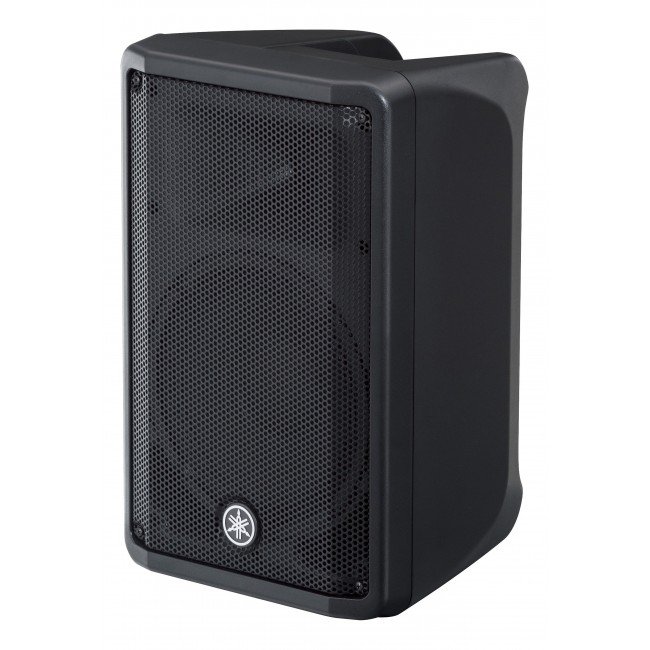
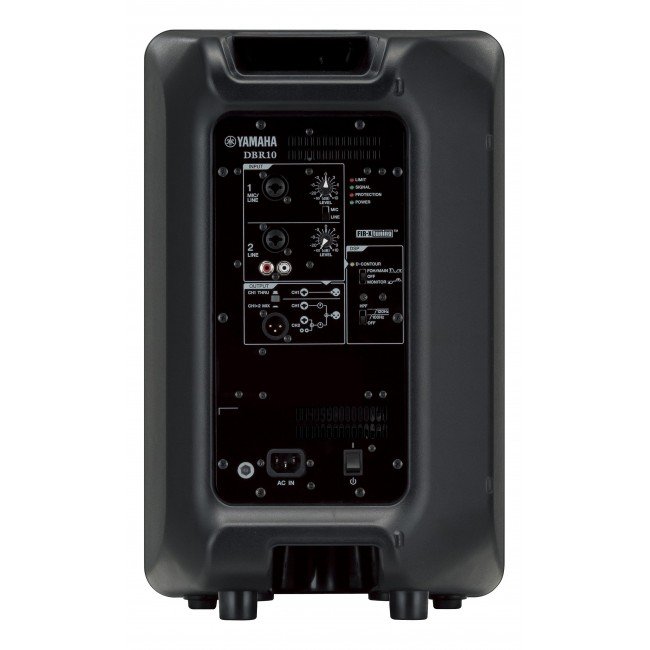
SKU: 140804000010
متوفر في المخزون
211.000 OMR
متوفر في المخزون
1. **Power On/Off**: Locate the power switch on the Yamaha DBR-15 15″ Powered Speaker and ensure it’s in the “Off” position before connecting. Once all connections are secure, switch it to the “On” position to power up the speaker.
2. **Connect Input Source**: Use an appropriate audio cable (XLR, TRS, or RCA) to connect your audio source (such as a mixer, microphone, or instrument) to the input on the back of the speaker. Ensure the connection is secure.
3. **Adjust Volume and Settings**: Use the volume control knob on the speaker or adjust the input level on your audio source to set the desired sound level. Additionally, you can adjust other settings like EQ and DSP presets if desired.
4. **Positioning**: Place the Yamaha DBR-15 speaker in the desired location, ensuring it’s stable and facing the audience for optimal sound projection. Consider elevating it on a speaker stand for better coverage.
5. **Monitor and Troubleshoot**: Throughout use, monitor the speaker’s performance and adjust settings as needed. If you encounter any issues such as distortion or feedback, check connections, volume levels, and signal sources to troubleshoot and resolve the problem.
*Gold-sputtered diaphragm *broadcast quality condenser microphone *cardioid omnidirectional and bidirectional polar patterns *wide frequency range and ultra low noise *off-axis rejection for clean recordings controlled by low-cut filter switch *all-metel housing * 3m(10ft)XLR cable included *0dB,-10dB pad switch
 أقل سعر
 الخدمة والإصلاح

 أحدث
أحدث


لا توجد مراجعات حتى الآن.