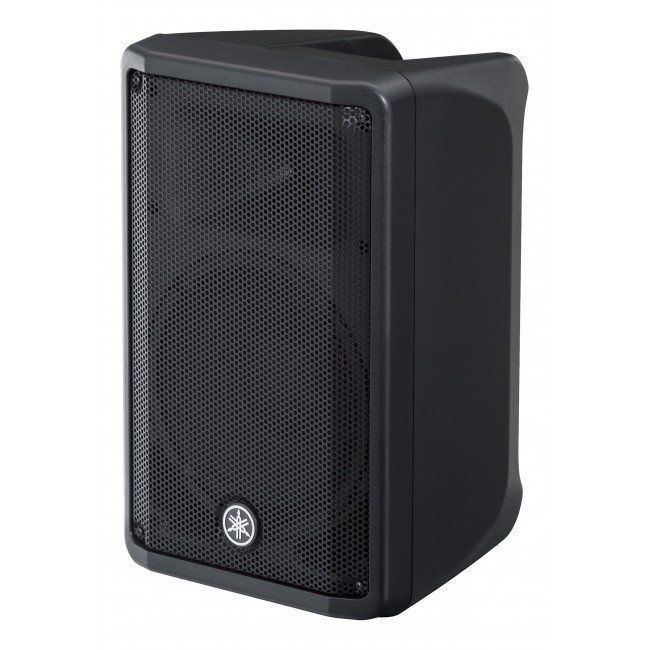
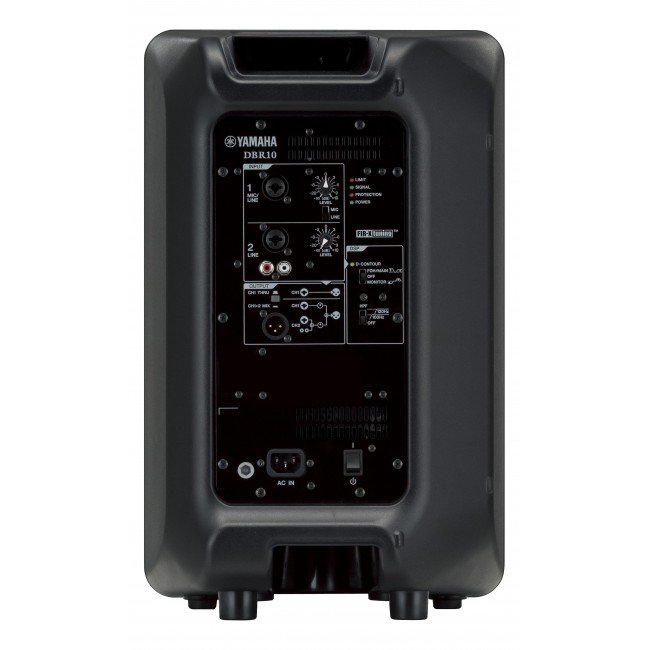
1. **Power On/Off**: Locate the power switch on the Yamaha DBR-15 15″ Powered Speaker and ensure it’s in the “Off” position before connecting. Once all connections are secure, switch it to the “On” position to power up the speaker.
2. **Connect Input Source**: Use an appropriate audio cable (XLR, TRS, or RCA) to connect your audio source (such as a mixer, microphone, or instrument) to the input on the back of the speaker. Ensure the connection is secure.
3. **Adjust Volume and Settings**: Use the volume control knob on the speaker or adjust the input level on your audio source to set the desired sound level. Additionally, you can adjust other settings like EQ and DSP presets if desired.
4. **Positioning**: Place the Yamaha DBR-15 speaker in the desired location, ensuring it’s stable and facing the audience for optimal sound projection. Consider elevating it on a speaker stand for better coverage.
5. **Monitor and Troubleshoot**: Throughout use, monitor the speaker’s performance and adjust settings as needed. If you encounter any issues such as distortion or feedback, check connections, volume levels, and signal sources to troubleshoot and resolve the problem.
Philips OneBlade 360 Shaver QP2734/23
Philips 1000 Series Body Groomer BG1025/15
Cleo-EL Portable Power Station 300W ZHY-CN01
Telionix Electric Air Fryer 9L TAF4424
شاحن سريع مزدوج الجانب ROCK W24 مزدوج الجانب
قرص مدمج للعبة سوني PS4 mdievil
CLEO PLASTIC RECORDER
Rock R4 Multi Function Rollable Keyboard
BOYA LAVALIER MICROPHONE BY M40D
أقل سعر
الخدمة والإصلاح
أحدث


لا توجد مراجعات حتى الآن.