1. Unboxing & Inspection
-
Remove the media converter and accessories from the packaging.
-
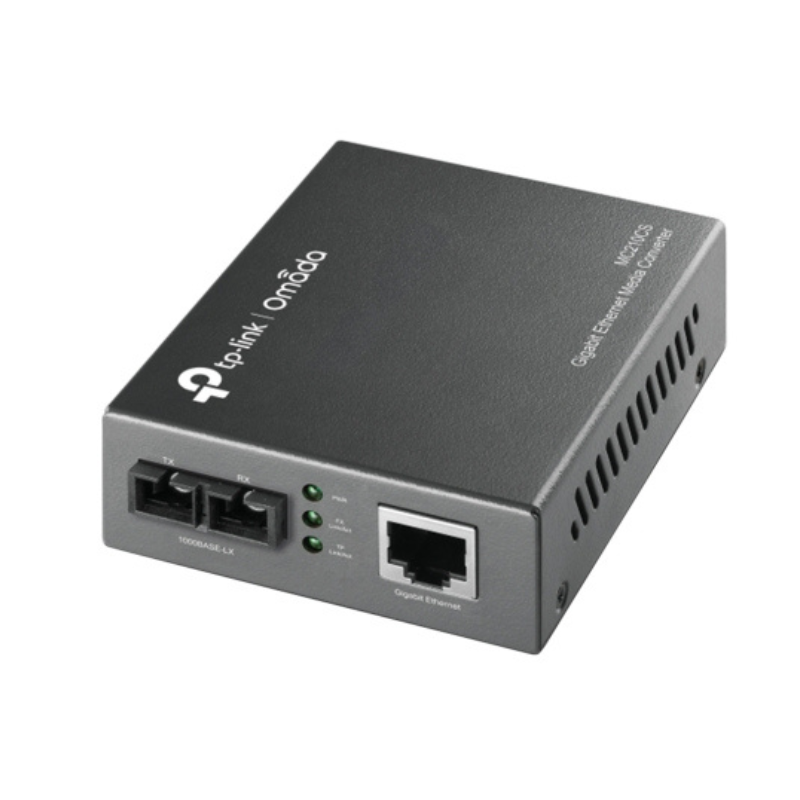
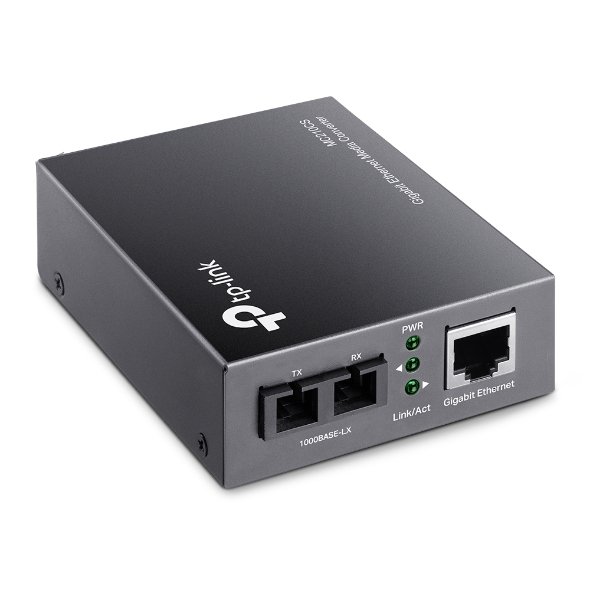
Ensure all parts are present: MC210CS Media Converter, power adapter, and quick installation guide.
2. Connect the Fiber Optic Cable
-
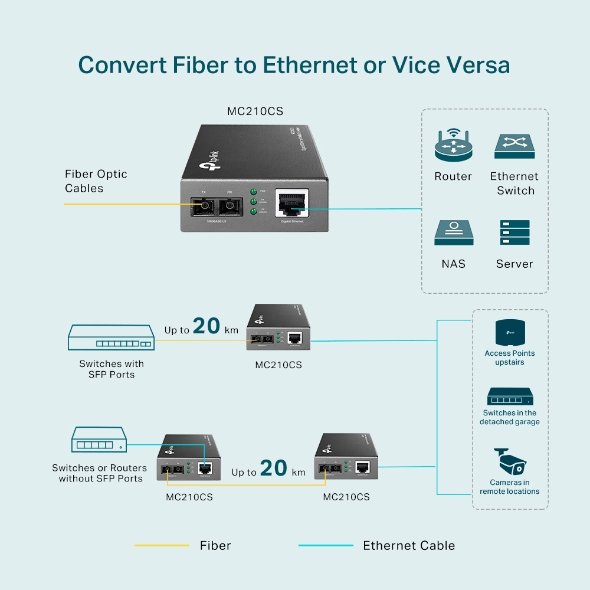
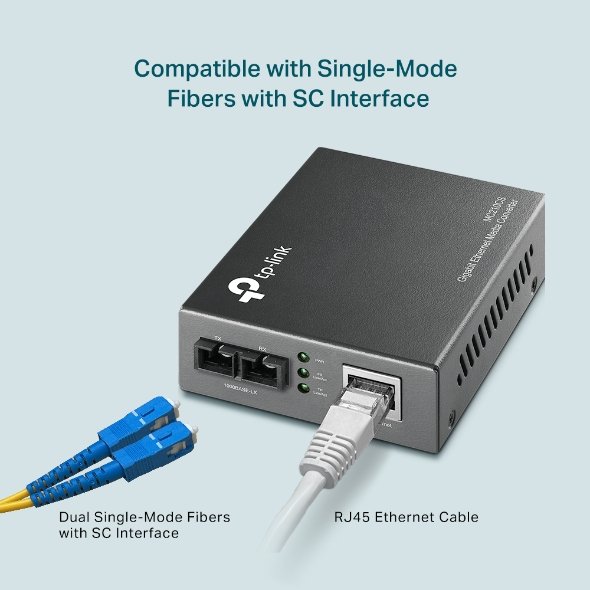
Take the single-mode fiber optic cable and connect one end to the fiber port (SFP) on the MC210CS.
-
Ensure the cable is securely plugged into the converter’s SFP port.
3. Connect the Ethernet Cable
-
Connect one end of an Ethernet cable to the RJ45 port of the media converter.
-
Plug the other end of the Ethernet cable into your network device (e.g., switch, router, or computer).
4. Power On the Device
-
Plug the power adapter into the media converter and connect it to a power outlet.
-
The device should power on automatically once connected to a power source.
5. Verify LED Indicators
-
Check the LED lights on the media converter to ensure proper functioning.
-
Power LED should be solid green when powered on.
-
Link/Act LED should blink or remain solid depending on the connection status.
-
Fiber LED should indicate connectivity when the fiber link is properly established.
-
6. Test the Connection
-
Verify the network connection by checking the device connected to the Ethernet port.
-
You should now have a stable network connection between the fiber optic cable and Ethernet network.
7. Placement & Final Setup
-
Place the media converter in a location that allows for proper cable management.
-
Ensure all cables are securely connected to avoid accidental disconnections.
8. Troubleshooting (if necessary)
-
If no connection is established, check the fiber optic cable for damage or ensure it’s properly plugged into both the media converter and the network device.
-
Double-check the SFP module type for compatibility if the media converter fails to recognize the fiber connection.
Sandisk Flash Drive i-xpand Dual Luxe 64GB Type-C to Lightning
Belkin F2CU012bt Mixit Cable Usb A to Micro 3mtr
Google Fitbit Edge Fitness & Health Tracking Smart Band Black
Google Fitbit Edge Fitness & Health Tracking Smart Band Green
AHUJA UTP30 WIRED TIE CLIP MIC
FANTECH FTK 801 NUMERIC KEY PAD
WAHL ELITE PRO HAIRCUTTING KIT
Sony PS4 Spider Man Game CD
REAN RP2C PIN
Cleo-TY Plastic Stadium Horn HT 348 48CM
ITC T 200B 15W PENDANT SPEAKER
ميكروفون كاندك DC C9 كارديويد ميكروفون
كبل بيانات OTVO P4 USB (لمضيف ومقبض P4)
سوني إريكسون T39 مستعمل
سي دي لعبة روكيت ارينا بلاستيشن 4
ثلاجة كلي أوسب
أقل سعر
الخدمة والإصلاح
أحدث


لا توجد مراجعات حتى الآن.