
-
×
 ONTEN USB to HDMI Adapter
1 × 8.900 OMR
-
×
 3713 ج موسيقى جيتار 3713 ج
1 × 3.800 OMR
-
×
 هاتف نوكيا X3 02 Touch 02 مستعمل
1 × 20.500 OMR
-
×
 BOYA BY WM8 PRO K2 UHF DUAL CHANNEL WIRELESS MICROPHONE
1 × 76.800 OMR
-
×
 DELONGHI MC GB DL EC9335 RED
1 × 334.100 OMR
-
×
 KALIMBA 17 KEYS FINGER PIANO
1 × 13.800 OMR
-
×
 ميلوديكا ميلوديكا النحلة Bm 13k
3 × 5.900 OMR
-
×
 APPLE IPAD Pro 12.9 Inch 4TH GEN SMART KEYBOARD FOLIO
1 × 94.900 OMR
-
×
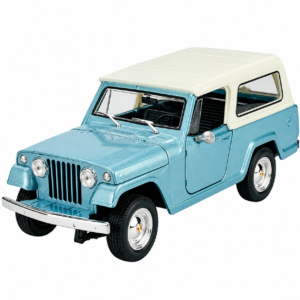 Welly Metal Car Jeep Jeepster Commando Station Wagon Size 1.24 WL-24117H-W
1 × 12.900 OMR
-
×
 نوكيا 9300
1 × 55.000 OMR
-
×
 TOLAYE KS06 KEYBOARD STAND
1 × 14.000 OMR
-
×
 OCULUS QUEST2 ELITE STRAP with BATTERY and CARRYING CASE
1 × 36.400 OMR
-
×
 WRIST WATCH CK 102S BLOOD PRESSURE MONITOR
1 × 12.800 OMR
-
×
 كبل بيانات OTVO P4 USB (لمضيف ومقبض P4)
1 × 1.900 OMR
-
×
 DMK Power GoPro 5.6.7.8 3port Charger
1 × 7.900 OMR
-
×
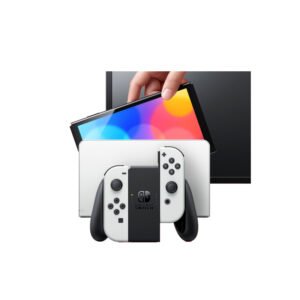 NINTENDO SWITCH OLED MODEL HEG-001 HANDHELD 64GB CONSOLE - WHITE
1 × 120.900 OMR
-
×
 Sandisk Ultra SDHC UHS-1 SD Card 64 GB
1 × 6.500 OMR
-
×
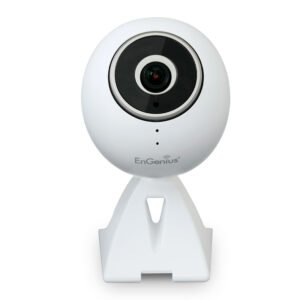 ENGENIUS EDS 1130 Smart Camera
1 × 22.400 OMR
-
×
 سي دي لعبة دووم بلايستيشن 4
1 × 10.800 OMR
-
×
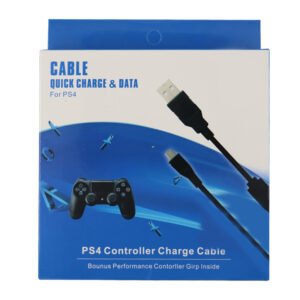 USB DATA CABLE PS4
1 × 1.900 OMR
-
×
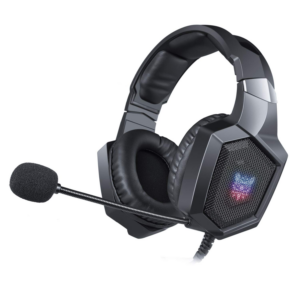 Onikuma Professional Gaming Headset K8
1 × 6.900 OMR
-
×
 Sony PS4 Rust Console Edition Game CD
1 × 18.800 OMR
المجموع: 899.600 OMR
 أقل سعر
 الخدمة والإصلاح


 أحدث


لا توجد مراجعات حتى الآن.