
-
×
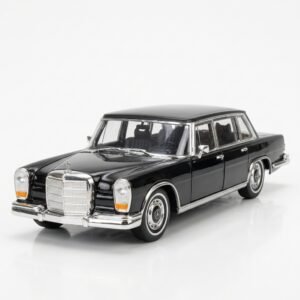 Welly Metal Car Mercedes Benz 600 Size 1.24 WL-24121W
3 × 12.900 OMR
-
×
 BBurago Metal Car Ferrari 499P Size 1.18
1 × 42.900 OMR
-
×
 BOYA WIRELESS MICROPHONE BY WM4 PRO
1 × 47.900 OMR
-
×
 YH 25 PS4 Multifunctional Heat Dissipation Charging Bracket
2 × 12.900 OMR
-
×
 TOLAYE KS06 KEYBOARD STAND
1 × 14.000 OMR
-
×
 NOKIA Used 3310 (Old Model)
1 × 12.000 OMR
-
×
 نوكيا 6124 مستعملة
1 × 24.500 OMR
-
×
 BOYA BY WM4 PRO K3 2.4GHz WIRELESS MICROPHONE SYSTEM
1 × 49.900 OMR
-
×
 YAMAHA F 310 TBS GUITAR
1 × 45.000 OMR
-
×
 ميكروفون كاندك DC C9 كارديويد ميكروفون
1 × 3.500 OMR
-
×
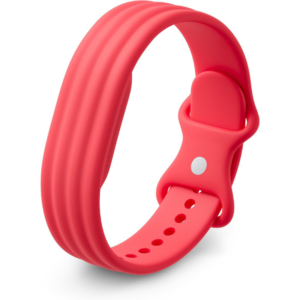 سوار جوجل فيتبيت إير أكتيف باند بيري المصنوع من السيليكون
1 × 20.900 OMR
-
×
 AL-HARAMEEN HA-4004 AZAN CLOCK
1 × 11.800 OMR
-
×
 XBOX ONE GRID DAY ONE EDITION GAME CD
1 × 16.800 OMR
-
×
 MAX BMS 135 BOOM MIC STAND
1 × 9.500 OMR
المجموع: 363.200 OMR
 أقل سعر
 الخدمة والإصلاح


 أحدث

لا توجد مراجعات حتى الآن.