
-
×
 Xiaomi Mi Cordless Electric Screwdriver
1 × 11.800 OMR
-
×
 BEHRINGER HPM-1000 DJ HEAD PHONE
1 × 8.000 OMR
-
×
 Apple IPhone 14 /14 Max Camera LENS
1 × 1.900 OMR
-
×
 GO-DES GD-GB062 32GB USB FLASH DRIVE
1 × 2.900 OMR
-
×
 2.4G Wireless Controller Game Pad
1 × 7.500 OMR
-
×
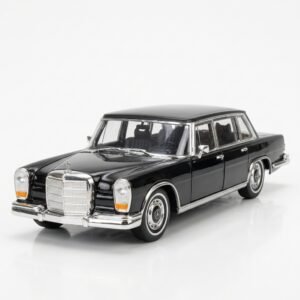 Welly Metal Car Mercedes Benz 600 Size 1.24 WL-24121W
1 × 12.900 OMR
-
×
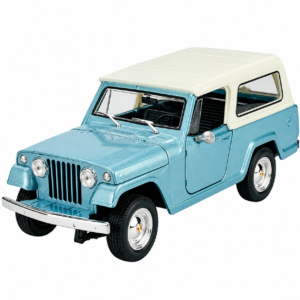 Welly Metal Car Jeep Jeepster Commando Station Wagon Size 1.24 WL-24117H-W
1 × 12.900 OMR
-
×
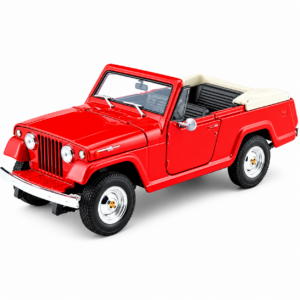 Welly Metal Car Jeep Jeepster Commando Roadster Size 1.24 WL-24117C-W
1 × 12.900 OMR
-
×
 LAVALIER MICROPHONE LJ02
1 × 1.800 OMR
-
×
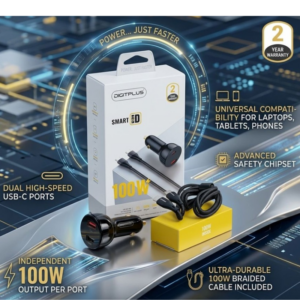 DigitPlus Car Charger 100w CC-DP-C101
1 × 8.900 OMR
-
×
 G3 Pro Handsfree Infrared Thermometer
1 × 5.400 OMR
-
×
 نوكيا 6230 اي
1 × 24.500 OMR
-
×
 EASEZ Apple iPhone Screen Protector Glass (4D)
1 × 3.000 OMR
-
×
 BBurago Metal Car Ferrari 499P Size 1.18
1 × 42.900 OMR
-
×
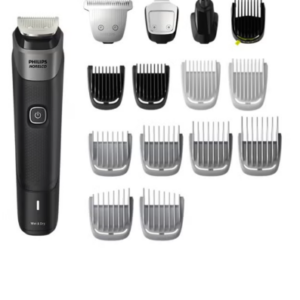 Philips 5000 Series Norelco All In One Trimmer MG5910/49
1 × 24.900 OMR
-
×
 MAX BMS 135 BOOM MIC STAND
1 × 9.500 OMR
-
×
 EN CORE 300 PREMIUM VOCAL CONDENSER MICROPHONE
1 × 2.900 OMR
المجموع: 194.600 OMR
 أقل سعر
 الخدمة والإصلاح


 أحدث

لا توجد مراجعات حتى الآن.