
-
×
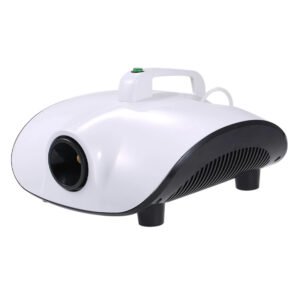 STERILIZER SMOKE MACHINE CF 1500
1 × 7.400 OMR
STERILIZER SMOKE MACHINE CF 1500
1 × 7.400 OMR -
×
 LAVALIER MICROPHONE LJ02
1 × 1.800 OMR
LAVALIER MICROPHONE LJ02
1 × 1.800 OMR
المجموع: 9.200 OMR
SKU: 141002000014
متوفر في المخزون
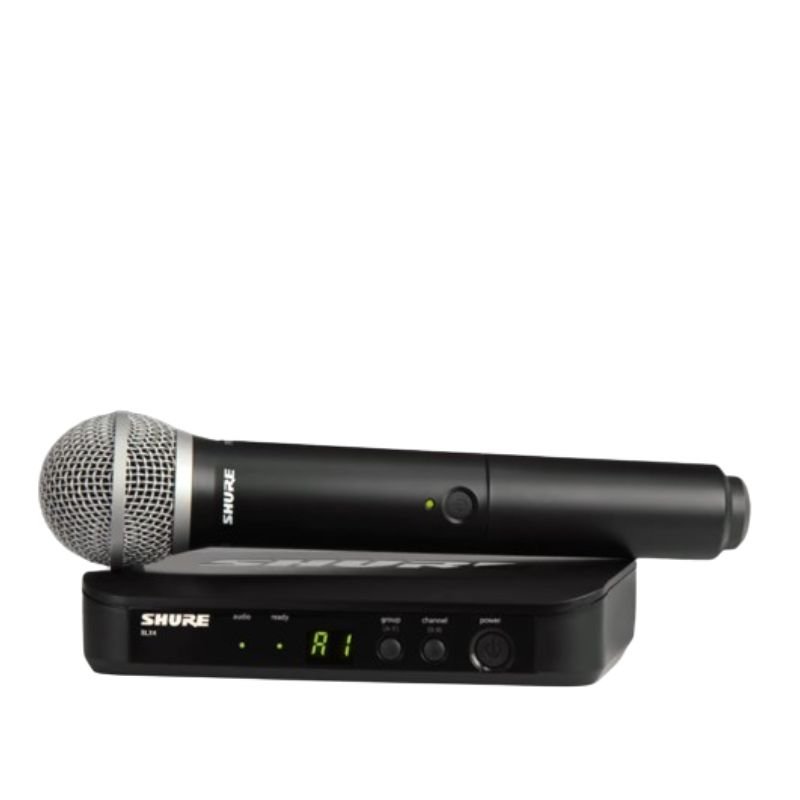
The Shure BLX24/PG58 Wireless Microphone System offers reliable wireless performance combined with the renowned sound quality of Shure microphones. Featuring a durable construction and easy setup, this system provides freedom of movement without sacrificing sound clarity. The PG58 microphone capsule delivers crisp vocals with a tailored frequency response, making it ideal for live performances, presentations, and speeches. With simple operation and dependable wireless connectivity, the BLX24/PG58 ensures professional-grade audio for any application.
134.000 OMR
متوفر في المخزون
1. **Power On**: Begin by inserting fresh batteries into both the microphone transmitter and the receiver unit. Power on both devices by pressing their respective power buttons. Ensure that the transmitter and receiver are set to the same frequency band for proper communication.
2. **Frequency Selection**: Use the frequency selection feature on the receiver to choose a clear and interference-free frequency. This helps to avoid signal dropouts and ensures stable wireless performance.
3. **Syncing Transmitter and Receiver**: Press the sync button on the receiver unit and hold it down until the sync LED starts blinking. Then, press the sync button on the microphone transmitter. The two devices will communicate and sync automatically, establishing a secure connection.
4. **Microphone Setup**: Attach the PG58 microphone capsule to the transmitter by securely screwing it onto the top of the unit. Ensure that the microphone is positioned correctly for optimal sound pickup and clarity.
5. **Sound Check**: With the microphone turned on and properly connected, perform a sound check to adjust volume levels and equalization settings as needed. Monitor the audio output from the receiver unit to confirm that the microphone is functioning correctly and delivering clear sound.
*Super clear recording sound *compatible with smartphones,DSLR cameras,consumer camcorders,PCs etc *lighweight and compact for easy carrying *omnidirectional lavalier microphone *hard case included *standard camera shoe mout and clip included *operation range up to 50cm *power supplied by two AAA batteries for both transmitter and receiver
– Brand: Shure
– Polar Pattern: Unidirectional
– Connections: Wireless
– Item Weight: 1 Pounds
– Power Source: Battery Powered
– About this Item:
* Includes BLX4 wireless receiver, BLX1 body pack transmitter, CVL Lavalier microphone, power supply, Lavalier clip, windscreens, and user guide.
* Power and battery status LED
* Adjustable gain control
* Quick & easy frequency matching
* 300 feet (91 m) operating range (line of sight)
 أقل سعر
 الخدمة والإصلاح

 أحدث
أحدث


لا توجد مراجعات حتى الآن.