
-
×
 Karcher Cordless Vaccum Cleaner KVA 2
1 × 69.900 OMR
-
×
 KARCHER LBL2 18V BATTERY POWER VACCUM CLEANER
1 × 79.900 OMR
-
×
 KARCHER SC 5 EASYFIX STEAM VACCUM CLEANER
1 × 185.000 OMR
-
×
 KARCHER SV 7 3IN1 EASYFIX STEAM VACCUM CLEANER
1 × 264.000 OMR
-
×
 KARCHER SC 1 EASYFIX STEAM VACCUM CLEANER
1 × 47.000 OMR
-
×
 KARCHER K 4 POWER HIGH PRESSURE WASHER MACHINE
1 × 115.000 OMR
-
×
 Philips OneBlade 360 Shaver QP2734/23
1 × 22.900 OMR
-
×
 Philips 1000 Series Body Groomer BG1025/15
1 × 10.900 OMR
-
×
 Cleo-EL Portable Power Station 300W ZHY-CN01
1 × 44.900 OMR
-
×
 Telionix Electric Air Fryer 9L TAF4424
1 × 34.900 OMR
-
×
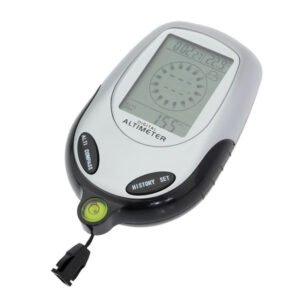 Multifunctional Digital Altimeter
1 × 6.400 OMR
-
×
 Toa BS-1034 Wall Mounted Speaker 10w
1 × 20.000 OMR
-
×
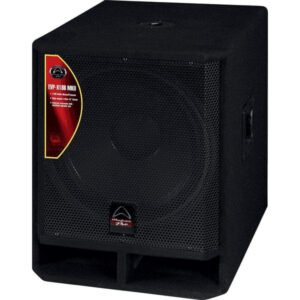 WHARFEDALE X18B MK11 SUBWOOFER
1 × 135.000 OMR
-
×
 ITC T 104GK WATER PROOF CEILING SPEAKER 1P66 3W/6W/100V
1 × 5.000 OMR
-
×
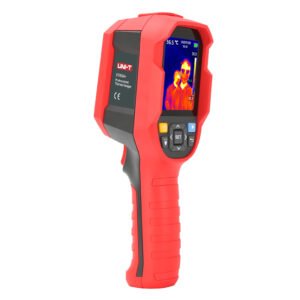 UNI-T UTI65H PROFESSIONAL THERMAL IMAGER
1 × 94.900 OMR
-
×
 KALIMBA 17 KEYS FINGER PIANO
1 × 13.800 OMR
-
×
 Hp Grade Laptop Keyboard
1 × 15.000 OMR
-
×
 موصل كابل DUDAO AUX مقاس 3.5 مم
1 × 3.900 OMR
المجموع: 1,168.400 OMR
 أقل سعر
 الخدمة والإصلاح


 أحدث
لا توجد مراجعات حتى الآن.